A friend of mine at university used to complain about the campus Wi-Fi every single day. Spotify? Blocked. Apple Music? Blocked. YouTube? Don’t even ask.
So he googled “music apps unblocked,” grabbed a few random ones, and got viruses for his trouble. Not great.
That’s when I started digging into unblocked music apps properly. I tested more than 10 of them. Most were trash: dead players, fake download buttons, or sites that crashed mid-song.
Five actually held up. They’re free, they’re safe to use, and they all run in a web browser, which is the real trick on school and work networks:
- Jamendo: best overall (600,000+ legal indie tracks)
- Free Music Archive: best for legal, curated music
- Jango Radio: best for personalized radio
- Playlistsound: best for instant, no-login streaming
- Freefy: best for mainstream hits without audio ads
One reality check first. No site is unblocked everywhere, because every network filter is different. But these free unblocked music apps gave me the best odds, and I’ll tell you each one’s catch.
Unblocked Music Apps — What Are They and Why You Need Them
Unblocked music apps are music sites and apps that still load on restricted networks. Think school Wi-Fi, office networks, library computers. Most of them are a simple free music website with a web player, not a big-name app.
Why do they get through? Network filters block by category and by domain name. Spotify, YouTube and Apple Music are usually the first names on a blocklist. Smaller or education-friendly sites often aren’t on the list, at least not yet.
If you’ve ever typed “free music online unblocked” into Google during a lecture, you already know where they matter most:
- School and college Wi-Fi: streaming gets blocked to save bandwidth and keep people focused.
- Work networks: IT teams often block the whole “entertainment” category by default.
- School Chromebooks: installing apps and extensions is normally locked, so a browser-based player is basically your only option.
- Restricted regions: some services simply aren’t available in your country.
Unblocked vs. restricted vs. illegal: not the same thing
Most lists online lump these together. They really shouldn’t.
| Type | What it means | Example | Should you use it? |
|---|---|---|---|
| Unblocked | Legal, and your network doesn’t block it | Jamendo, when your filter allows it | Yes |
| Restricted | Legal, but your admin blocked it | Spotify on school Wi-Fi | Only with permission |
| Illegal | Hosts or rips copyrighted music without a license | “Free MP3 download” sites, cracked APKs | NoMalware and copyright risk |
In plain English, “unblocked” is about your network. “Legal” is about the music’s license. A site can be unblocked and still be illegal, and those are exactly the ones that tend to carry malware.
So no, not every unblocked music app is safe. Some are ad farms with a play button glued on top. For each pick below, I’ll tell you exactly where its music comes from.
Top 5 Unblocked Music Apps — My Picks (Ranked #1 to #5)
Here’s how I ranked these unblocked music apps. I looked at four things: does it work without installing anything, do you need an account, how does it make money, and would I recommend it to a 15-year-old without worrying.
That money question matters more than people think. A lot of unblocked music streaming apps fail it. If a free service won’t say how it pays the bills, you’re probably the product.
Prices and features below are what each service lists as of September 2026.
1. Jamendo: Best Overall
What it does: Jamendo Music streams 600,000+ free songs from 40,000+ independent artists around the world. The artists share their music under Creative Commons licenses themselves. So it’s legal, full stop.
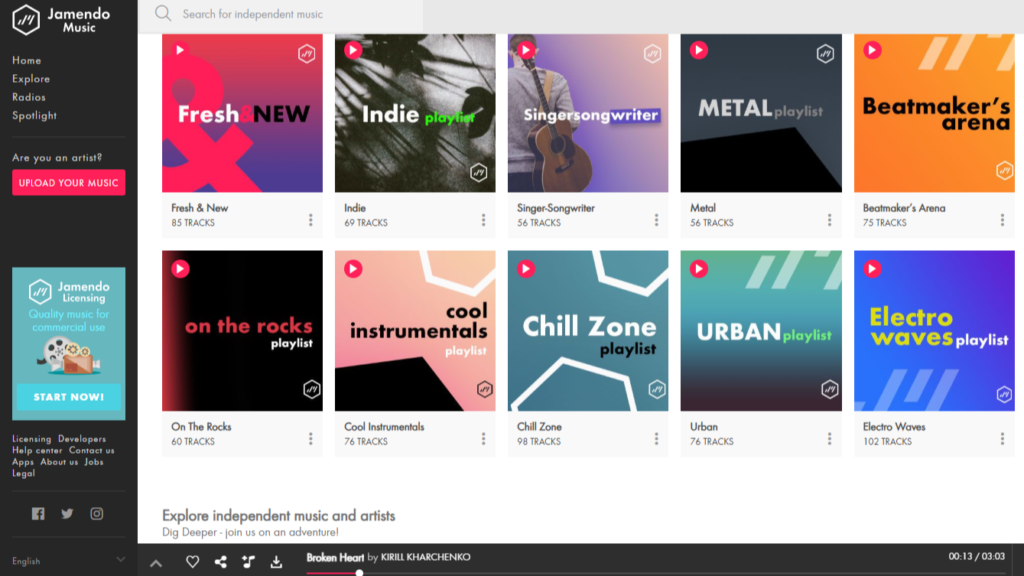
How it works (unblocked): It’s a regular website. Open it in any browser, hit play, done. You don’t need an account to start listening, and there are official iPhone and Android apps if your network allows them.
What I love:
- Zero guilt. The artists chose to share this music.
- Lots of tracks can be downloaded as free MP3s for personal listening. Download at home, play at school, no Wi-Fi drama.
- Radio stations and charts make it easy to find study music without digging.
What could be better:
- No Taylor Swift, no Drake. It’s independent artists only.
- Quality swings a lot. Some tracks are brilliant. Some sound like they were recorded in a bathroom.
- Filters that block the whole “music” category will catch it too.
Pricing: Free for personal listening and downloads. Jamendo Licensing is a separate paid service for using tracks in videos, ads or businesses.
Best for: Students hunting for music apps unblocked for school that won’t get them in trouble. It’s also great background music while studying.
My rating: 4.5/5
2. Free Music Archive (FMA): Best for Legal, Curated Music
What it does: The Free Music Archive is a big library of Creative Commons and public-domain music, picked by curators and netlabels. It launched in 2009 at WFMU, the famously eclectic New Jersey radio station. It nearly shut down in 2018, got rescued, and is now run by Tribe of Noise, a Dutch music company.
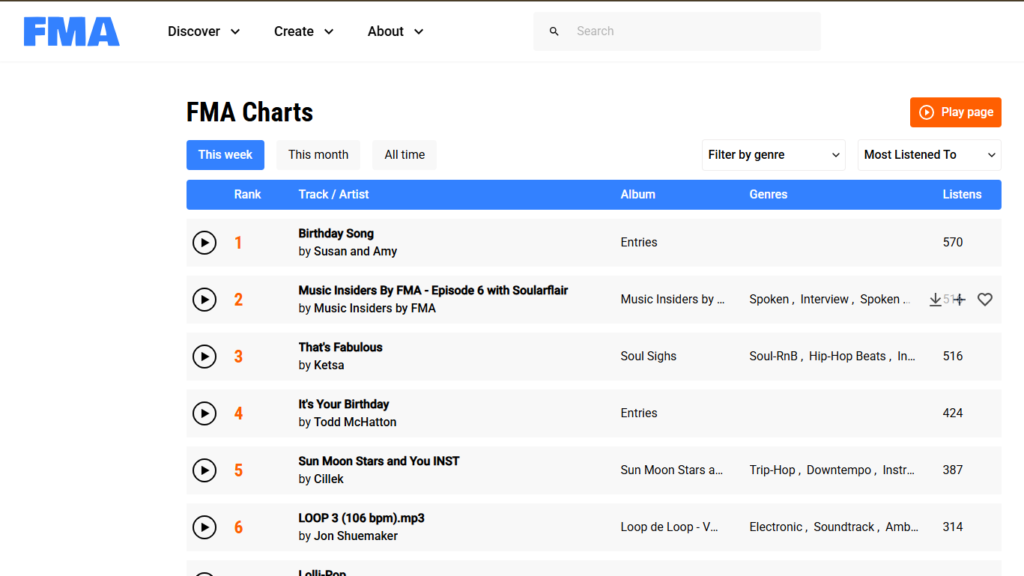
How it works (unblocked): Browser only. Open the site and press play. FMA’s own FAQ says it straight: you don’t need an account to listen. I couldn’t find an official app, which is actually a plus on locked-down Chromebooks.
What I love:
- Real curators. Humans pick the mixes, so there’s less junk than on random upload sites.
- Filters for genre, license and even song length. Need exactly three minutes of music for a class video? Easy.
- Every track shows its license. Perfect for school projects, podcasts, and YouTube videos, especially if a channel is one of your side hustles for teens.
What could be better:
- It’s built for finding tracks, not for Spotify-style playlist hopping.
- No mainstream artists, same as Jamendo.
- It pushes its paid licensing shop, Tribe of Noise PRO, pretty hard.
Pricing: Free to listen and download for personal use. Using tracks in your own videos or projects depends on each track’s license.
Best for: Legal music for school projects and videos, plus distraction-free study sessions.
My rating: 4/5
3. Jango Radio: Best for Personalized Radio
What it does: Jango is free internet radio, a lot like Pandora. Type in one artist and it builds a station of similar music. It’s been around since 2007.
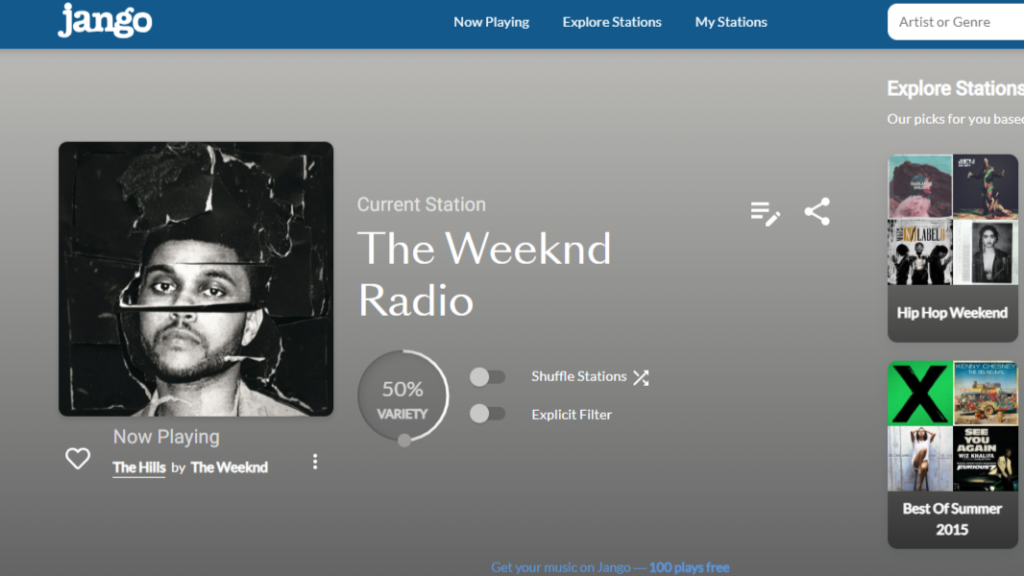
How it works (unblocked): Open it in any browser, or use the free iPhone and Android apps. A free account saves your stations so they follow you between devices.
What I love:
- Real mainstream music. Genre stations like Today’s Top 100 and 80s hits, not just indie.
- Jango says it has no ads, and its mobile apps promise no audio ads. That’s rare for a free service.
- Unlimited skips. Like or ban songs to tune a station until it’s exactly your vibe.
What could be better:
- Here’s the catch most reviews skip. Jango stays free partly by letting indie artists pay for guaranteed plays (the program is now called RadioAirplay). So every now and then, a “featured artist” you’ve never heard of pops into your station. Some are great. Some… aren’t.
- It’s radio. You can’t pick one exact song on demand.
Pricing: Free, with no paid tier needed for unlimited listening.
Best for: Hands-free background music at work or while studying.
My rating: 4/5
4. Playlistsound: Best for Instant Streaming
What it does: Playlistsound is a lightweight web player. Search a song, album or artist and it plays. The site promises millions of songs, all free.
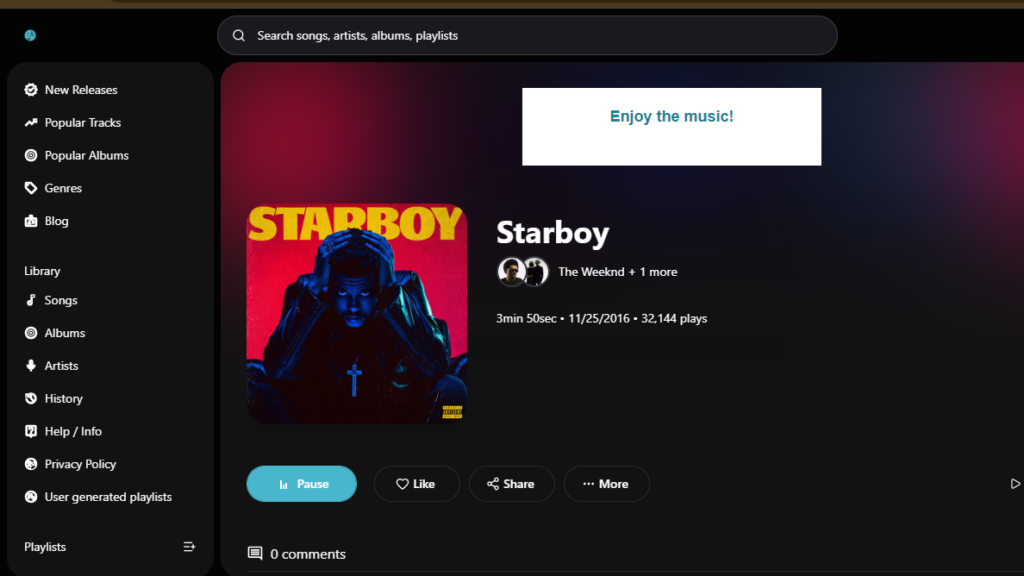
How it works (unblocked): Go to playlistsound.com and search. No install, and you don’t need to log in to start playing. It’s not a household name, so it’s less likely to sit on a default blocklist. No guarantees, though.
What I love:
- It’s fast. Search, click, music. That’s the whole process.
- Mainstream songs. This is where you go for the actual hit, not an indie cover of it.
- Nothing to install, so it plays fine on a school Chromebook when the filter allows it.
What could be better:
- It doesn’t explain where its streams come from or how the music is licensed. For me that’s a yellow flag, not a red one, but you should know.
- There’s no real app. The only Android app I found under its name hasn’t been updated since 2023, so treat it as browser-only.
- Small sites like this can change or vanish overnight. Keep a backup bookmarked.
Pricing: Free. The site says everything is completely free.
Best for: Grabbing one specific song right now, with zero setup. If you need a music app unblocked at the office for a quick listen, this is the fastest option here.
My rating: 3.5/5
5. Freefy: Best for Mainstream Hits Without Audio Ads
What it does: Freefy is basically a free Spotify lookalike. Search millions of songs, build playlists, shuffle or don’t. Your call. There are no audio ads between songs.
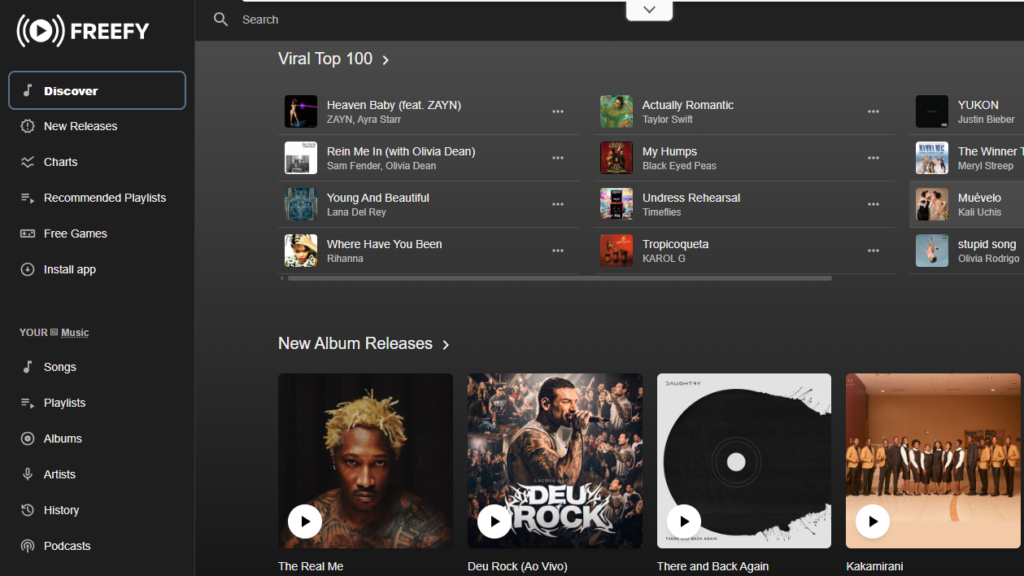
How it works (unblocked): Use it in the browser at freefy.app, or install it from Google Play or the App Store. On school networks and Chromebooks, the web version is your friend.
What I love:
- Real on-demand playback. Pick the exact song, make playlists, skip freely.
- No audio ads cutting into your music. That alone beats most free tiers.
- It’s on the official app stores, not some random APK site.
What could be better:
- “Ad-free” isn’t quite true. You won’t hear ads, but Google Play labels the app “Contains ads,” and you’ll see visual ones.
- It’s buggy. Freefy sits at 2.5 stars on Google Play, and recent reviews complain about slow search, crashes and login loops. To be fair, the developers reply and push fixes.
- Freefy says it runs on official APIs from YouTube, Spotify and others. That’s how it gets millions of songs. It’s also why I wouldn’t get too attached, for reasons I’ll explain in the safety section.
- Its Google Play data-safety label says data isn’t encrypted. If you sign up, use a password you don’t use anywhere else.
Pricing: Free, supported by ads.
Best for: Mainstream hits on demand, if you can live with a few bugs.
My rating: 3.5/5
Honorable mentions
Didn’t make my top five, but worth a try if your network allows them: AccuRadio for free curated radio channels, SoundCloud’s web player for remixes and new artists, and Audiomack for hip-hop and Afrobeats. They’re bigger names, though, so filters are more likely to know about them.
Unblocked Music Apps Comparison Table
| App | Best for | Price | Free version | Mainstream hits? | Unblocked method | My rating |
|---|---|---|---|---|---|---|
| Jamendo Top pick | Indie discovery | Free | Yes | No | Browser + app | 4.5/5 |
| Free Music Archive | Legal, curated music | Free | Yes | No | Browser | 4/5 |
| Jango Radio | Personalized radio | Free | Yes | Yes | Browser + app | 4/5 |
| Playlistsound | Instant streaming | Free | Yes | Yes | Browser | 3.5/5 |
| Freefy | Mainstream on demand | Free (with ads) | Yes | Yes | Browser + app | 3.5/5 |
Short version: want legal and guilt-free? Go Jamendo or FMA. Want the hits? Jango for radio, Freefy or Playlistsound for picking exact songs.
How to Access Unblocked Music Apps at School or Work
Disclaimer: Always follow your school or workplace policies. This article is for informational purposes only.
First, a reality check. On many school-managed Chromebooks, the filter runs on the device itself, so the rules follow the laptop home. Getting caught dodging it can cost you way more than a playlist is worth.
The good news: most unblocked music apps in this list need nothing but a browser. Here’s how to find music apps that work unblocked without getting into trouble.
Method 1: Use the web browser version instead of the app
This is the big one. Installing apps is usually locked on school devices, and many networks block app downloads anyway. The most reliable music apps unblocked for school are really just websites like Jamendo or FMA, so bookmark two or three.
Method 2: Try official alternate domains (carefully)
Some services run their web player on a separate address. Spotify’s player lives at open.spotify.com, for example, and a few filters only block the main domain. Only use addresses the service itself links to.
Searching “[site] unblocked mirror” mostly turns up copycats full of pop-ups, phishing pages and fake download buttons. Skip them.
Method 3: Use a VPN (check the rules first)
A VPN can get around network filters. But many schools and workplaces ban them, and managed devices usually block them anyway. If it’s allowed and it’s your own device, pick a reputable paid VPN, because free VPNs have a rough privacy track record.
Method 4: Use library-provided streaming (Hoopla, Freegal)
Your public library card might be the best music hack nobody talks about. Hoopla lets you borrow full albums for 7 days.
Freegal usually gives around 3 hours of streaming a day plus a few DRM-free downloads a week. Its catalog includes Sony Music, so yes, real mainstream artists. Exact limits depend on your library.
Method 5 (my favorite): Download at home, play offline
This one skips the whole problem. Download tracks from Jamendo or FMA at home, or save a borrowed Hoopla album in its app, then listen offline at school. No network, nothing to block.
Spotify Premium’s offline downloads work the same way if you already pay for it.
Pro tip: Always stay safe and avoid sketchy APK downloads. If a site wants you to install an APK, a “codec” or a browser extension just to play a song, close the tab.
Are Unblocked Music Apps Safe? (Safety Guide)
The five in this list? Yes, with the catches I’ve flagged. But plenty of unblocked music apps out there aren’t, and the dangerous ones look almost identical to the good ones.
The biggest risk: third-party APKs
Random apps from random sites are how my friend got his viruses. An APK downloaded from a random website never went through the review an app needs to get into Google Play. Some ask for permissions no music player should ever need.
How to spot an unsafe app or site
- Ad overload: pop-ups, redirects, or a new tab every time you press play.
- Weird permission requests: a music app asking for your contacts, SMS or accessibility access. Hard no.
- Fake download buttons: three giant “DOWNLOAD” buttons, and none of them is the actual song.
- “Install this extension to continue”: a classic trap.
- No company info: no About page, no contact details, no idea who runs it.
Why YouTube-based apps are a gamble
Apps that build their catalog on top of YouTube, instead of signing their own deals with record labels, live on borrowed time. Musi, a hugely popular free iPhone music app, got kicked off Apple’s App Store in September 2024 after complaints from YouTube and the music industry. Musi sued Apple and lost in March 2026, and Universal and Sony have since sued Musi over copyright.
Freefy says it follows YouTube’s official API rules, and I’ve seen nothing that says otherwise. But any app that depends on someone else’s catalog can lose access overnight. Enjoy it, just keep a backup.
The safe way to do it
Stick to browser-based players and apps from the official App Store or Google Play. All five of my picks (Jamendo, FMA, Jango, Playlistsound and Freefy) work in a browser first, so you never need a sketchy download.
Mistakes I Made When Looking for Unblocked Music Apps
I didn’t get this right the first time. Here’s what I’d skip if I started over.
Mistake 1: Downloading APKs from untrusted sources
Early on, I side-loaded a couple of “free music” APKs because they weren’t on Google Play. Same road that gave my friend his virus problem. Lesson: if an app isn’t in an official store, there’s usually a reason.
Mistake 2: Assuming all “unblocked” apps are safe
“Unblocked” only means your network let it through. It says nothing about the site itself, and some of the sketchiest ones loaded just fine. Lesson: judge the site, not the fact that it loads.
Mistake 3: Not trying browser versions first
I kept hunting for apps when the web players would’ve worked fine all along. Lesson: open the website before you install anything. Most of the time, that’s enough.
Mistake 4: Ignoring school and work policies
Using a VPN on a network that bans them isn’t a clever hack. It’s a policy violation, and IT teams can usually see more than you think. Lesson: a playlist isn’t worth a warning or losing your device privileges.
Bonus mistake: trusting old lists. Some “best unblocked music sites” articles still recommend Grooveshark, which shut down in 2015, and Google Play Music, which Google retired in 2020. Check the date, then check that the site still exists.
Frequently Asked Questions (FAQs)
What are unblocked music apps?
Unblocked music apps are music apps and websites that still work on restricted networks like school Wi-Fi or office networks. Most are browser-based players that filters don’t block by default. Jamendo, Free Music Archive and Jango are good examples.
Which unblocked music app is free?
All five in this guide are free: Jamendo, Free Music Archive, Jango Radio, Playlistsound and Freefy. Jamendo is the best free unblocked music app overall if you’re fine with indie music. For mainstream hits, try Jango or Freefy.
Can I use Spotify unblocked at school?
Only if your school’s network allows it. The Spotify web player at open.spotify.com runs in any browser, but many school filters block it along with the app. The legit workaround: with Premium, download playlists at home and play them offline.
Are unblocked music apps safe?
Yes, as long as you stick to trusted ones. Use browser-based players and official App Store or Google Play apps. The riskiest unblocked music apps are APK downloads, “mirror” sites and anything that wants a browser extension just to play a song.
What is the best unblocked music app for iPhone?
Jango Radio and Jamendo both have official iPhone apps and also work in Safari. But an app won’t beat a Wi-Fi block that stops the website, since it’s the same network and the same filter. The most reliable iPhone trick is downloading at home (Jamendo MP3s or a Hoopla album) and listening offline.
How to unblock music apps at school?
Start with browser-based music apps unblocked for school, like Jamendo or FMA. If those are blocked, use offline downloads or your library’s Hoopla or Freegal. VPNs and proxies often break school rules, so check the policy first, or just ask IT which music sites are allowed.
Final Thoughts: Which Unblocked Music App Should You Use?
If I had to keep just one, it’s Jamendo. It’s legal, it’s huge, and it works in any browser. For mainstream songs, Jango is the most dependable free option I found, with Freefy and Playlistsound as backups.
Plenty of unblocked music apps come and go. All five of these have been around for years, which counts for a lot in this corner of the internet.
My honest take? Not every unblocked music app is safe. Stick to the trusted ones. And remember — browser access is often the easiest fix.
Bookmark two or three from this list, because filters change. The one that works today might be blocked next semester.
Which unblocked music app do you use? Drop a comment below!