School and office networks often block Spotify, YouTube and Apple Music. If you just want some music while you study or work, there are free unblocked music apps and sites that run in a normal web browser, with nothing to install.
To see which ones actually work, I opened 8 free music sites on my Windows 10 PC in Google Chrome in November 2026 and played songs on each one. For every site I checked the same things: does it play without an account, can you find popular songs, how many ads show up, and is it easy to use.
These are my top 5:
- SoundCloud: best overall for finding any song
- Jango Radio: best free radio with big artists
- Jamendo: best for almost no ads
- Audiomack: best for trending charts
- Freefy: best Spotify-style player
One honest note before you start: I tested these on my own home internet in Bahrain, not on a school network. Every school and office filter is different, so I can’t promise a site isn’t blocked on yours. If your school or workplace doesn’t allow music, follow its rules.
Unblocked Music Apps — What Are They and Why You Need Them
Unblocked music apps are music sites and apps that still load on restricted networks. Think school Wi-Fi, office networks, library computers. Most of them are a simple free music website with a web player, not a big-name app.
Why do they get through? Network filters block by category and by domain name. Spotify, YouTube and Apple Music are usually the first names on a blocklist. Smaller sites often aren’t on the list, at least not yet.
They matter most in places like these:
- School and college Wi-Fi: streaming gets blocked to save bandwidth and keep people focused.
- Work networks: IT teams often block the whole “entertainment” category by default.
- School Chromebooks: installing apps and extensions is normally locked, so a browser-based player is basically your only option.
- Restricted regions: some services simply aren’t available in your country.
Unblocked vs. restricted vs. illegal: not the same thing
Most lists online lump these together. They really shouldn’t.
| Type | What it means | Example | Should you use it? |
|---|---|---|---|
| Unblocked | Legal, and your network doesn’t block it | Jamendo, when your filter allows it | Yes |
| Restricted | Legal, but your admin blocked it | Spotify on school Wi-Fi | Only with permission |
| Illegal | Hosts or rips copyrighted music without a license | “Free MP3 download” sites, cracked APKs | NoMalware and copyright risk |
In plain English, “unblocked” is about your network. “Legal” is about the music’s license. A site can be unblocked and still be illegal, and those are exactly the ones that tend to carry malware.
So not every site that loads is safe. Some are ad farms with a play button glued on top. For each pick below, I’ll tell you where its music comes from.
Top 5 Unblocked Music Apps — My Picks (Ranked #1 to #5)
All 8 sites I tested played music in the browser without an account. So I ranked them by what most people want at school or work: finding the songs they like, with as few ads as possible.
I also looked at where each site’s songs come from. If a free service won’t say where its music comes from or how it pays the bills, that’s worth knowing before you rely on it.
Everything below is what I saw when I tested in November 2026.
1. SoundCloud: Best Overall for Finding Any Song
What it does: SoundCloud is a music platform where artists and regular users upload tracks, and anyone can listen in the browser.
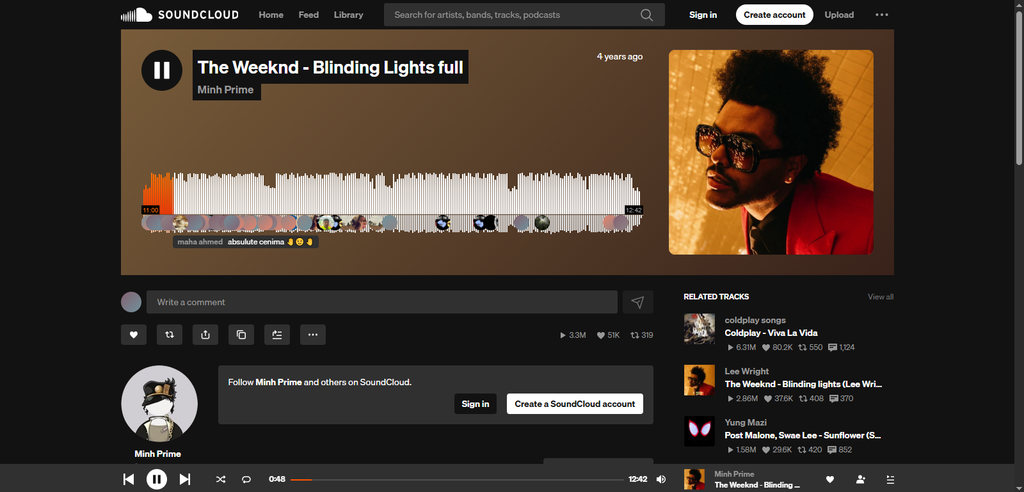
What I found: SoundCloud started playing in Chrome right away, without signing in, and every song I searched for was there. I didn’t see or hear a single ad during my test. I know SoundCloud well because I used it a lot in college, as a listener and as an uploader. You only need an account to like songs, follow artists or save playlists.
What I love:
- Almost any song is there: mainstream hits, remixes, slowed and reverb versions, and new artists.
- It plays without an account, and I didn’t get any ads.
- Listeners leave comments right on the track’s waveform, which is fun on popular songs.
What could be better:
- Many popular songs are uploaded by fans, not by the artist. When I searched for “Blinding Lights” by The Weeknd, the top result was a fan upload. Fan uploads can sound different from the original, and they can be removed later.
- It’s a big name, so school filters are more likely to block it than smaller sites.
Best for: finding one specific song, plus remixes and slowed and reverb versions you won’t find anywhere else.
2. Jango Radio: Best Free Radio With Big Artists
What it does: Jango is free internet radio, a lot like Pandora. Type in an artist or a genre and it builds a station of similar music. It’s been around since 2007.
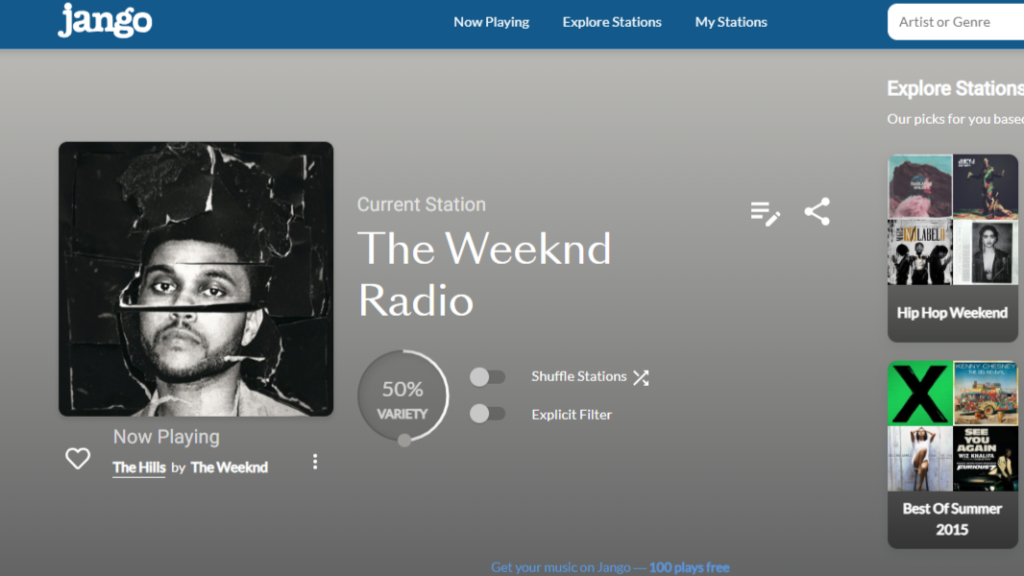
What I found: Jango played in the browser without an account, and it had big artists and popular songs. I played its Top Pop Hits station, which started with “Blinding Lights” by The Weeknd. No ads showed up while I listened.
What I love:
- Real mainstream music, not just indie.
- No ads in my test, which is rare for a free service.
- You can tune a station with a variety slider, shuffle between stations and turn explicit songs on or off.
What could be better:
- Jango lets independent artists pay to get their songs played on its stations. The player even shows a “Get your music on Jango” offer. So now and then, an artist you’ve never heard of pops into your station.
- It’s radio. You can’t pick one exact song on demand.
Best for: hands-free background music at work or while studying.
3. Jamendo: Best for Almost No Ads
What it does: Jamendo Music streams free songs from independent artists, who share their music under Creative Commons licenses themselves. Jamendo’s own About page says it has more than 500,000 tracks. So it’s legal, full stop.
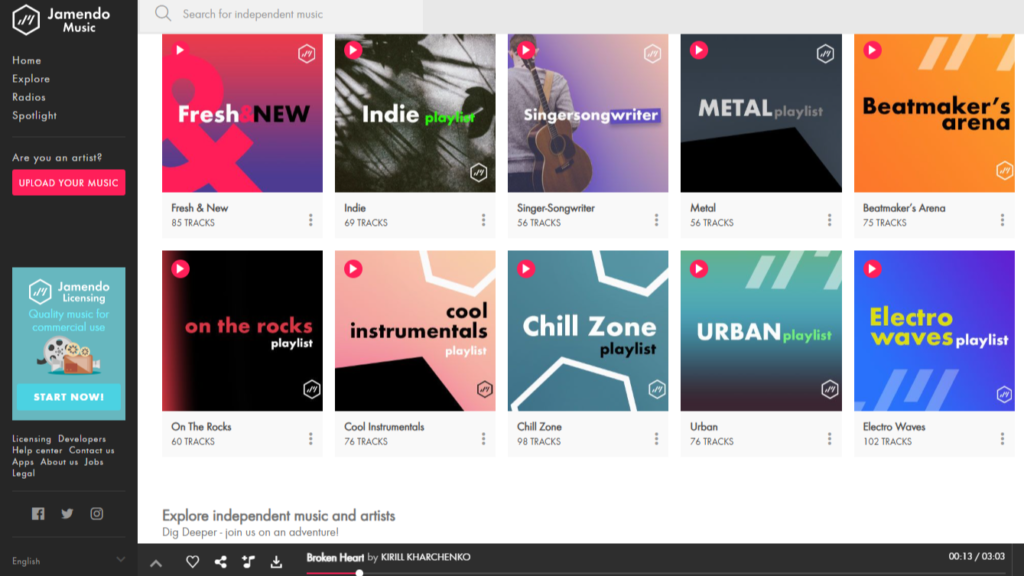
What I found: Jamendo played in the browser without an account. I listened to 2 to 3 songs and didn’t see a single ad. The player is clean and simple, with a download button on each song.
What I love:
- Zero guilt. The artists chose to share this music.
- Lots of tracks can be downloaded as free MP3s for personal listening. Download at home, play at school, no Wi-Fi drama.
- Ready-made playlists like Chill Zone and Cool Instrumentals make it easy to find study music.
What could be better:
- No mainstream hits. It’s independent artists only.
- Filters that block the whole “music” category will catch it too.
Pricing: Free for personal listening and downloads. Jamendo Licensing is a separate paid service for using tracks in videos, ads or businesses.
Best for: study music with no interruptions.
4. Audiomack: Best for Trending Charts
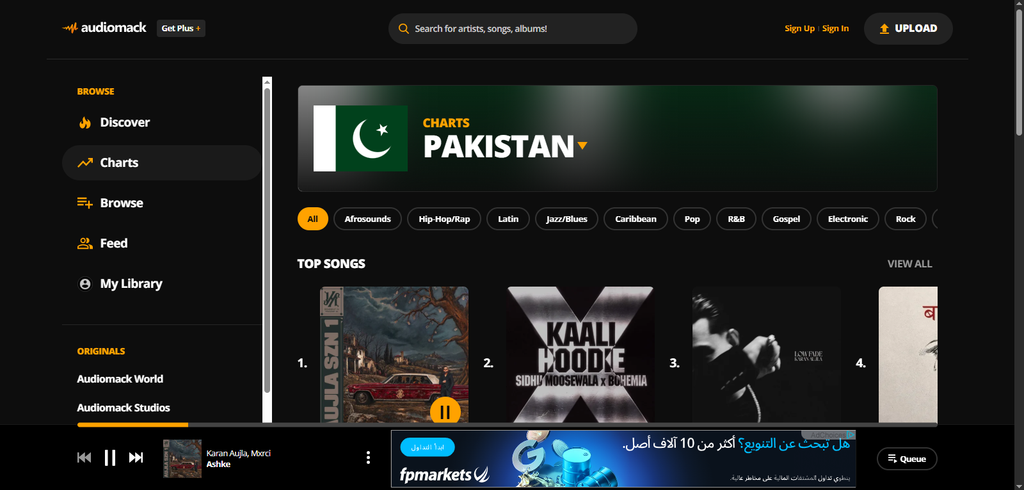
What it does: Audiomack is a free music streaming site with charts by country and by genre, such as Hip-Hop/Rap, Afrosounds, Latin, Pop and R&B.
What I found: Audiomack played in the browser without an account, and it had a lot of good, current songs. I opened its Pakistan chart, which had Karan Aujla and Sidhu Moose Wala at the top. A banner ad stayed at the bottom of the player while the song played.
What I love:
- Charts for different countries and genres make it easy to find what’s popular right now.
- Strong on hip-hop and new releases.
- No account needed to start playing.
What could be better:
- The banner ad stays on screen while you listen.
- You need an account for your own library and some basic features, and the site keeps showing its paid Plus plan.
Best for: finding what’s trending right now, especially hip-hop.
5. Freefy: Best Spotify-Style Player
What it does: Freefy looks and works a lot like Spotify, with artist pages, popular tracks, a queue and a lyrics preview.
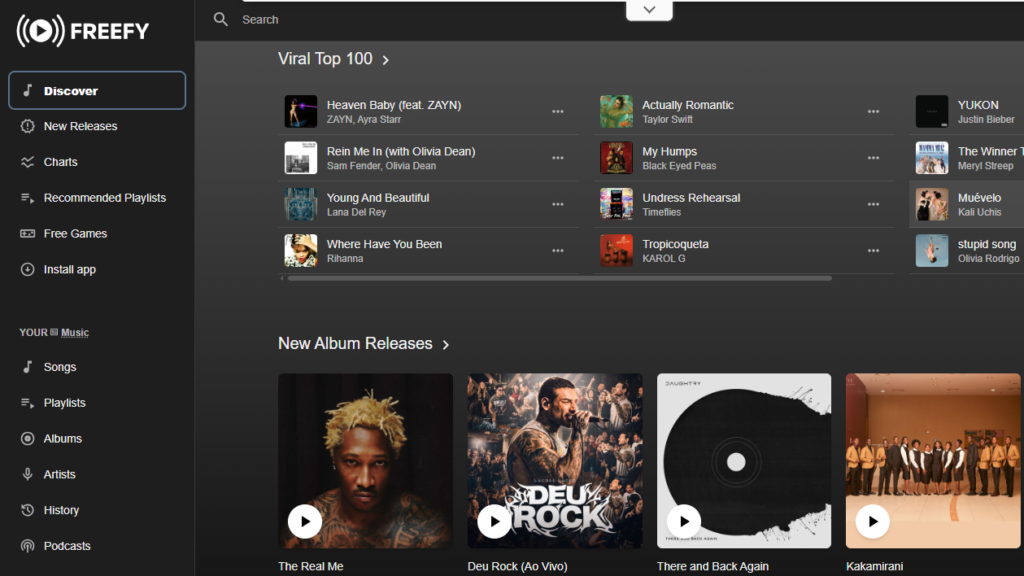
What I found: Freefy played songs without an account. Each song plays through a YouTube video player inside Freefy’s own page. The interface is good, building a queue is easy, and I saw only a few Google ads.
What I love:
- Real on-demand playback. Pick the exact song and line up what plays next.
- A lyrics preview next to the song that’s playing.
- Only a few ads in my test.
What could be better:
- Because the songs play through YouTube’s player, Freefy may not work on a network that blocks YouTube.
- It depends on someone else’s catalog, so it could lose access to songs at any time. More on that in the safety section below.
- Your library and saved playlists need an account.
Best for: people who want a Spotify-like layout with popular songs.
Honorable mentions
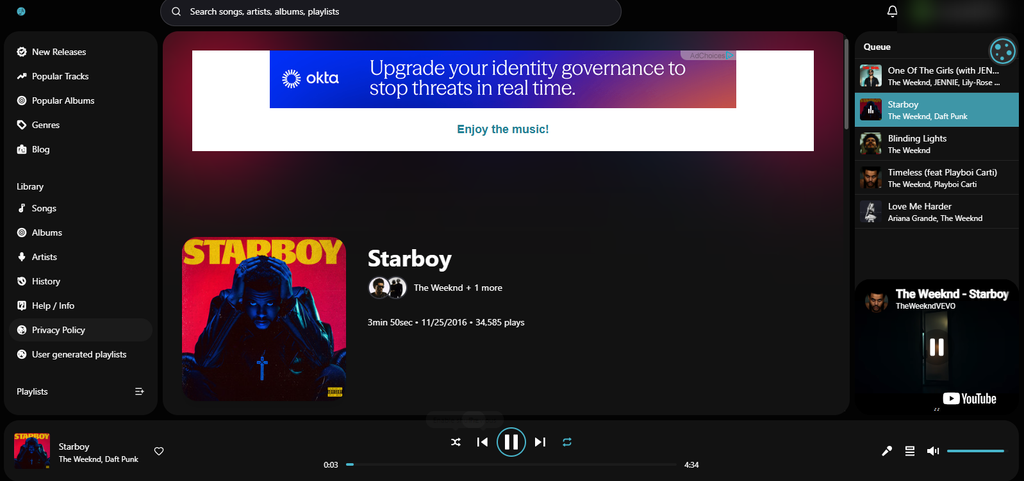
Playlistsound: works like Freefy. It plays songs through a YouTube player on its own site at playlistsound.com, and it played without an account. There was one banner ad above the song, and it didn’t get in the way. Same catch as Freefy: it may not work where YouTube is blocked, and the site doesn’t explain how its music is licensed.
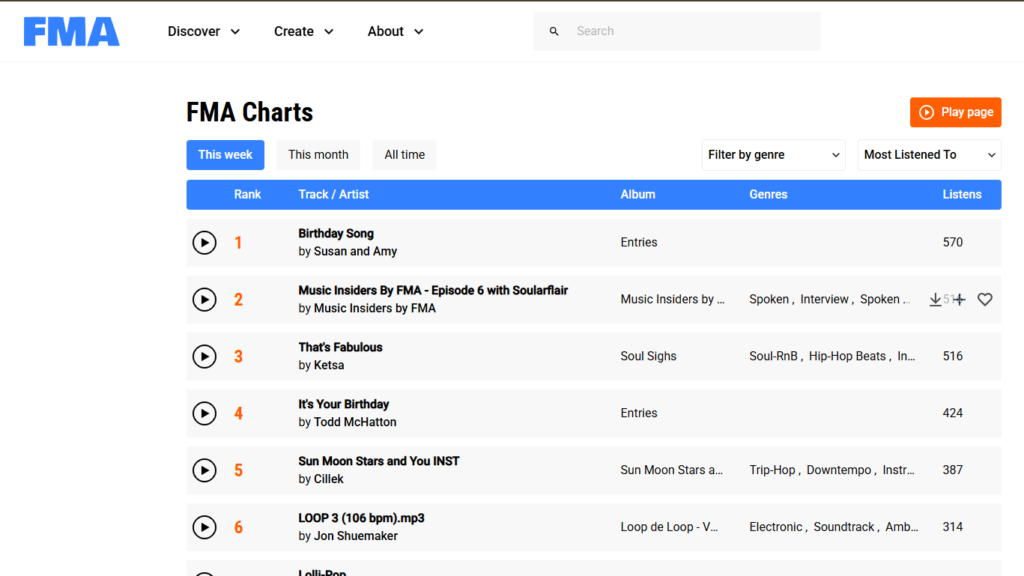
Free Music Archive (FMA): the Free Music Archive is a big library of Creative Commons and public-domain music, launched in 2009 by the radio station WFMU and now run by Tribe of Noise. The audio quality is good, every track shows its license, and it plays in the browser. That makes it great for school projects and videos, and it pairs well with these free video editing apps. But you need to log in for playlists and the “up next” queue, and it showed the most ads of all 8 sites I tested, including Google ads and a video ad that popped up at the side.
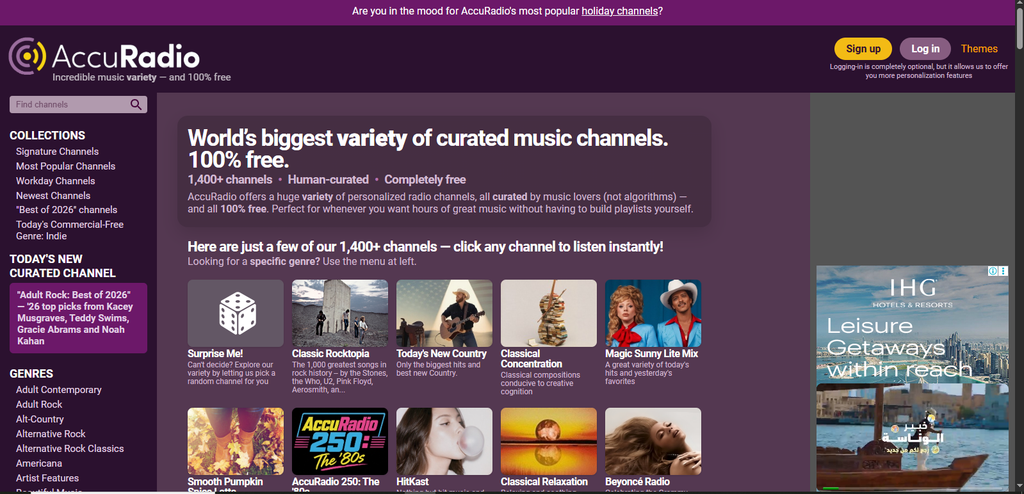
AccuRadio: AccuRadio has more than 1,400 free music channels picked by people, not algorithms, and logging in is optional. It’s great if you like radio, but you can’t search for one specific song, and there are banner ads on the page.
Unblocked Music Apps Comparison Table
| Site | Best for | Plays without login | Popular songs | Ads I saw |
|---|---|---|---|---|
| SoundCloud Top pick | Finding any song | Yes | Yes | None |
| Jango Radio | Free radio | Yes | Yes | None |
| Jamendo | Almost no ads | Yes | No, indie only | None in 2 to 3 songs |
| Audiomack | Trending charts | Yes | Yes | Banner at the bottom |
| Freefy | Spotify-style player | Yes | Yes | A few Google ads |
| Playlistsound | Simple player | Yes | Yes | One banner |
| Free Music Archive | Legal indie music | Yes, login for playlists | No, indie only | The most, including a video ad |
| AccuRadio | Radio channels | Yes | Yes, inside channels | Banner ads |
Short version: want one exact song? Go SoundCloud. Want background radio? Jango. Want no ads and fully legal music? Jamendo. Want what’s trending? Audiomack.
How to Use Unblocked Music Apps at School or Work (The Safe Way)
Disclaimer: Always follow your school or workplace policies. This article is for informational purposes only.
First, a reality check. On many school-managed Chromebooks, the filter runs on the device itself, so the rules follow the laptop home. Using a VPN on a network that bans them isn’t a clever hack either. It’s a policy violation, and IT teams can usually see more than you think. A playlist isn’t worth a warning or losing your device privileges.
The good news: every site in this list needs nothing but a browser. Here’s how to listen without getting into trouble.
Method 1: Use the web browser version instead of the app
This is the big one. Installing apps is usually locked on school devices, and many networks block app downloads anyway. The most reliable options are really just websites like Jamendo, Jango or SoundCloud, so bookmark two or three.
Method 2: Use library-provided streaming (Hoopla, Freegal)
Your public library card might be the best music hack nobody talks about. Hoopla lets you borrow full albums for 7 days.
Freegal usually gives around 3 hours of streaming a day plus a few DRM-free downloads a week. Its catalog includes Sony Music, so yes, real mainstream artists. Exact limits depend on your library.
Method 3: Download at home, play offline
This one skips the whole problem. Download tracks from Jamendo or FMA at home, or save a borrowed Hoopla album in its app, then listen offline at school. No network, nothing to block.
Spotify Premium’s offline downloads work the same way if you already pay for it.
Pro tip: Always stay safe and avoid sketchy APK downloads. If a site wants you to install an APK, a “codec” or a browser extension just to play a song, close the tab.
Are Unblocked Music Apps Safe? (Safety Guide)
None of the sites in this list asked me to install anything to play music. But plenty of music sites out there aren’t safe, and the dangerous ones can look almost identical to the good ones.
The biggest risk: third-party APKs
Random apps from random websites are the biggest risk. An APK downloaded from a random website never went through the review an app needs to get into Google Play. Some ask for permissions no music player should ever need.
How to spot an unsafe app or site
- Ad overload: pop-ups, redirects, or a new tab every time you press play.
- Weird permission requests: a music app asking for your contacts, SMS or accessibility access. Hard no.
- Fake download buttons: three giant “DOWNLOAD” buttons, and none of them is the actual song.
- “Install this extension to continue”: a classic trap.
- No company info: no About page, no contact details, no idea who runs it.
- Outdated lists: some “best unblocked music sites” articles still recommend Grooveshark, which shut down in 2015, and Google Play Music, which Google retired in 2020. Check the date, then check that the site still exists.
Why YouTube-based apps are a gamble
Apps that build their catalog on top of YouTube, instead of signing their own deals with record labels, live on borrowed time. Musi, a hugely popular free iPhone music app, got kicked off Apple’s App Store in September 2024 after complaints from YouTube and the music industry. Musi sued Apple and lost in March 2026, and in August 2026 Universal and Sony took legal action against Musi in Canada over copyright.
In my test, Freefy and Playlistsound both played songs through a YouTube player. Any site that depends on someone else’s catalog can lose access overnight, and it may not work at all on a network that blocks YouTube. Enjoy them, just keep a backup.
The safe way to do it
Stick to browser-based players and apps from the official App Store or Google Play. Every site in this list worked in a browser in my test, so you never need a sketchy download.
What I Noticed While Testing These Sites
- None of them needed an account to play music. Logging in only adds extras like playlists, likes and a queue.
- There are two kinds of sites. SoundCloud, Jango, Audiomack, Freefy and Playlistsound have popular songs. Jamendo and Free Music Archive have legal independent music only. If you want chart hits, the independent sites will disappoint you.
- Ads were the biggest difference. SoundCloud, Jango and Jamendo showed no ads during my test. Free Music Archive showed the most, including a video ad.
- Two sites depend on YouTube. Freefy and Playlistsound play songs through a YouTube player, so they may stop working wherever YouTube is blocked.
- Radio sites pick the songs for you. On Jango and AccuRadio you choose a station, not a song. That’s perfect for background music, but not if you want one specific track.
Frequently Asked Questions (FAQs)
What are unblocked music apps?
Unblocked music apps are music apps and websites that still work on restricted networks like school Wi-Fi or office networks. Most are browser-based players that filters don’t block by default. SoundCloud, Jango and Jamendo are good examples.
Which unblocked music app is free?
All 8 sites in this guide are free to listen to: SoundCloud, Jango, Jamendo, Audiomack, Freefy, Playlistsound, Free Music Archive and AccuRadio. For popular songs, SoundCloud was the best in my test. For no ads and fully legal music, use Jamendo.
Can I use Spotify unblocked at school?
Only if your school’s network allows it. The Spotify web player at open.spotify.com runs in any browser, but many school filters block it along with the app. The legit workaround: with Premium, download playlists at home and play them offline.
Are unblocked music apps safe?
Yes, as long as you stick to trusted ones. Use browser-based players and official App Store or Google Play apps. The riskiest ones are APK downloads, “mirror” sites and anything that wants a browser extension just to play a song.
What is the best unblocked music app for iPhone?
I tested this list on a PC, not on iPhone, so I can’t rank them for iPhone yet. SoundCloud and Audiomack both have official iPhone apps, and the websites open in Safari too. But an app won’t beat a Wi-Fi block that stops the website, since it’s the same network and the same filter. The most reliable iPhone trick is downloading at home (Jamendo MP3s or a Hoopla album) and listening offline.
How to unblock music apps at school?
Start with browser-based sites like Jamendo, Jango or SoundCloud. If those are blocked, use offline downloads or your library’s Hoopla or Freegal. Still stuck? Ask your school’s IT team which music sites are allowed.
Final Thoughts: Which Unblocked Music App Should You Use?
If I had to keep just one, it’s SoundCloud, because it has almost every song I look for and I’ve used it for years. If you want zero ads and fully legal music for studying, use Jamendo. If you don’t want to pick songs at all, put on a Jango station and let it play.
Bookmark two or three from this list, because filters change. The one that works today might be blocked next semester.
Tested by Muhammad Saad in November 2026 on a Windows 10 PC in Google Chrome.
Which music site do you use? Drop a comment below!