
I had eleven tabs open. SurferSEO in one, Frase in another, Clearscope pulled up in a third, and I was three hours into a Tuesday night trying to figure out which one deserved my credit card number. I hadn’t written a single sentence of actual content. I’d just been staring at feature lists and pricing pages until the words stopped meaning anything.
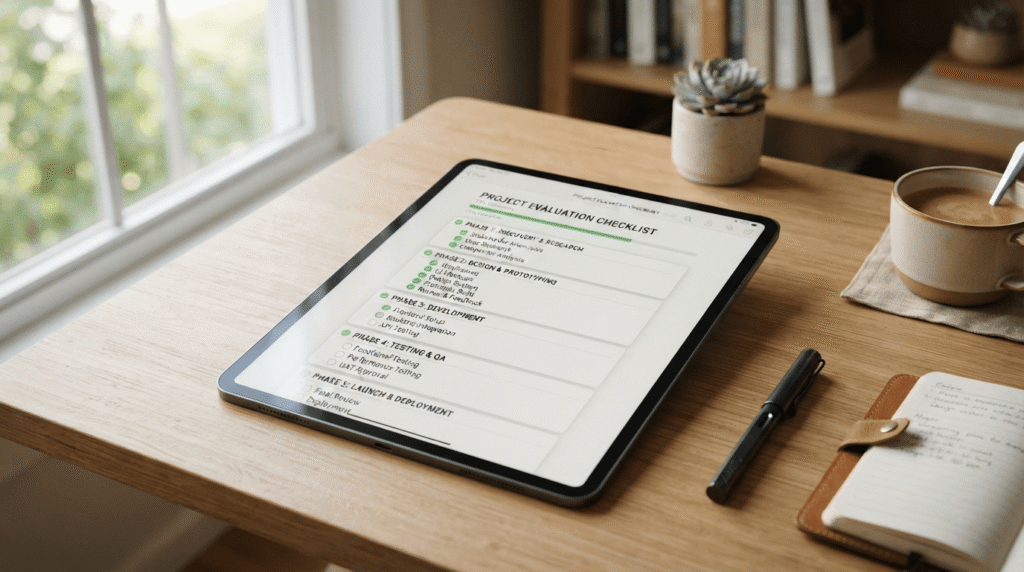
That night is basically why this guide exists. By that point I’d already burned money on two other tools that looked incredible in the demo and then sat there, unused, after the second week. So I finally sat down and built a real system for how to compare AI search optimization tools, instead of picking whichever one had the shiniest landing page or sent the most convincing sales email.
If you’re up at midnight googling how to compare AI search optimization tools the same way I was, I get it. There are dozens of these platforms now, and every single one claims to be the one that’ll finally get you ranking.
This isn’t a “best tools” listicle. It’s the exact framework I use every time a new one launches, which at this point feels like every other week, so I stop wasting money and actually pick something that fits how I work.
By the end of this, you’ll have the same framework — a repeatable way to think through how to compare AI search optimization tools without drowning in eleven browser tabs like I did.
Why I Needed a System to Compare AI Search Optimization Tools
Every AI SEO tool’s homepage says some version of “get better rankings, faster.” None of them tell you how to measure that against a completely different tool making the exact same promise. That’s the real problem with comparing AI SEO tools: the marketing copy is nearly identical no matter which platform you’re looking at.
I learned this one the expensive way. I signed up for an annual plan with a tool that looked incredible in the onboarding video, then realized three weeks later that half its features assumed I already had a technical SEO background I didn’t have. That subscription sat there, fully paid, completely unused, for eight more months.
The turning point came after the third tool I regretted buying. I stopped asking “is this tool good?” and started asking “is this tool good for my specific workflow?” Those are completely different questions.
Once I had a repeatable answer to the second one, I finally had an actual method for how to compare AI search optimization tools instead of just reacting to whatever ad I’d seen that week.
How to Compare AI Search Optimization Tools – 7 Key Factors I Use
Here’s the actual checklist I run through now. It’s not fancy, but it’s saved me from at least four bad purchases since I built it. These are the seven things that make up my own AI tool assessment, roughly in the order I check them.
1. Accuracy of AI-Generated Content
This is the one that burned me first. I tested a tool’s content suggestions on a topic I knew inside and out, and it confidently recommended I include a “fact” that was flat-out wrong.
What to look for: Run a test on a topic you’re genuinely an expert in, not something generic. See if the tool’s suggestions, briefs, or AI drafts actually hold up against what you know to be true.
Red flag: Any tool that can’t show you where a suggestion or claim is coming from. If there’s no way to trace it back to a real source, don’t trust it blindly.
2. Ease of Use & Learning Curve
I once spent two full weeks just learning how one platform’s interface worked before I published a single optimized article with it. That’s time I could’ve spent writing ten pieces with a simpler tool.
What to look for: How much can you actually do in your first 20 minutes, without watching a single tutorial video? That’s a decent proxy for how the next six months will feel.
Red flag: A dashboard so packed with tabs and panels that you need a walkthrough just to find the content editor. If the “getting started” guide is longer than a car manual, that’s telling you something.
3. Integration with Existing Tools
My workflow already runs through WordPress, Google Search Console, and Ahrefs. A tool that doesn’t talk to any of those means I’m manually exporting and re-importing data forever, which defeats half the point of using AI in the first place.
What to look for: Native integrations, not just a vague “API available” note buried in the FAQ. Check specifically for WordPress, Google Search Console, and whatever rank tracker or SEO suite you already pay for, like SEMrush.
Red flag: Integrations listed as “coming soon” that have said “coming soon” for over a year. I’ve seen it happen more than once.
4. Pricing & Value for Money
Pricing on these tools moves around constantly. Plan names get renamed, tiers get restructured, and a price you saw in a review from six months ago is often already wrong by the time you read it.
What to look for: What’s genuinely included at the tier you’d actually use, not the flashy top-tier features you’ll never touch. Watch for per-seat costs and expiring monthly credits, since both can quietly double your real bill — details that get missed when you’re focused on how to compare AI search optimization tools by price tag alone.
Red flag: Pricing that’s only available after you “book a demo.” That’s not always a scam, but it usually means the number is higher than you’d like.
5. Customer Support & Community Quality
The real test of support isn’t the sales call, it’s what happens after you’ve paid and something breaks. I’ve had a content editor freeze mid-optimization with zero response from support for four days.
What to look for: An active user community — Slack group, Facebook group, forum — where real users answer real questions, not just marketing posts. Email support with a genuine question before you buy, and time how long it takes to get an actual answer.
Red flag: A support inbox that only replies with generic help-doc links, or a “community” that’s really just the company’s own promotional channel.
6. Reporting & Analytics Features
A content score going up doesn’t mean much if it’s not connected to what’s actually happening in Google Search Console, or increasingly, whether you’re showing up in AI-generated answers on platforms like ChatGPT or Perplexity.
What to look for: Exportable reports, a direct Search Console connection, and ideally some visibility into AI-generated answers, not just traditional blue-link rankings.
Red flag: An “optimization score” that never seems to connect back to any real ranking movement, no matter how high you push it.
7. Scalability – Can It Handle Growth?
What works fine for one blog post a week can fall apart completely at twenty. I’ve hit hard credit limits mid-month, plus per-seat pricing that turned “let’s add a second writer” into a real budget conversation.
What to look for: Bulk or team features, clear seat pricing, and credit limits that make sense for where you’ll be in a year, not just where you are today.
Red flag: Pricing that scales brutally per seat or per word with zero bulk discount as you grow. That’s a tool built for someone testing the waters, not scaling up.
The AI Search Optimization Tools I Personally Tested

Running all seven of these through the same lens is really what taught me how to compare AI search optimization tools in the first place, more than any single review ever could. Here’s how each one actually held up.
SurferSEO
I ran SurferSEO for about three months on a client blog. The Content Editor is genuinely useful — it scores your draft against what’s already ranking and tells you exactly which terms you’re missing. The catch is the learning curve: between the editor, the audits, and the newer AI-visibility tracking, it took me a good two weeks before I stopped feeling lost in my own dashboard.
Frase.io
Frase was the cheapest entry point of everything I tried, and the SERP-research briefs are genuinely fast — I had a usable content brief in under two minutes. What surprised me was the AI-visibility tracking that’s crept into more of its tiers, showing whether your content is actually getting picked up in AI-generated answers, not just Google’s organic results.
Clearscope
Clearscope is the one I’d hand to a writer who’s never touched SEO before. The content grading is simple — you write, it grades in real time, and the recommendations show up right inside Google Docs. It doesn’t generate full articles for you and it doesn’t do keyword research, so you’ll still need something else in your stack for that.
MarketMuse
MarketMuse is the deepest tool here for content strategy — the topic modeling and content-gap analysis across an entire site is legitimately impressive if you’re planning out a year of content, not just one post. Fair warning: as of my last look, pricing had moved to a demo-only, quote-based model instead of listing numbers publicly, which made comparing it against everything else on this list a little annoying.
Contentpen.ai
Contentpen showed up in one of my searches and I almost skipped it, but it turned out to be one of the more interesting newer options. It bundles research, drafting, SEO and AI-visibility scoring, internal linking, and direct publishing into a single workflow instead of stitching several tools together — worth testing on a low-stakes post before you bet a whole content calendar on it.
ChatGPT for SEO
I still use ChatGPT constantly for outlines and brainstorming, but let’s be honest: it’s not an SEO optimization tool. It has no idea what’s actually ranking for your target keyword right now, so anything you draft with it still needs to go through a real optimization tool before it’s ready to publish.
Jasper
Jasper writes clean, on-brand copy, which makes sense since it’s built for marketing teams generally, not specifically for SEO. The catch a lot of people miss: Jasper leans on a Surfer SEO integration for actual on-page optimization, so if you buy Jasper expecting a standalone ranking tool, you’re really signing up for two subscriptions. (If you want the deeper dive on general AI writing tools instead of SEO-specific ones, I’ve got a separate guide on AI content writing tools that covers Jasper and a few others in more detail.)
My Step-by-Step Process to Compare AI Search Optimization Tools

Once you’ve got the seven factors in mind, here’s the actual step-by-step process I use for how to compare AI search optimization tools every time a new one catches my eye.
Step 1: Define Your Specific Needs
Before I even open a comparison tab, I write down exactly what I need: content writing help, keyword research, on-page optimization, or rank tracking, or some mix of all four. A tool that’s incredible at one of those and weak at the others might be a great fit or a total mismatch, depending on what you actually do day to day. (If keyword research specifically is where you’re stuck, I’ve also put together a separate guide on keyword research tools that goes deeper into just that piece.)
Step 2: Research and Create a Shortlist of 3-5 Tools
I search around, read a handful of reviews — including the negative ones, which are usually more honest than the five-star ones — and land on three to five realistic options. Any more than that and you’re back to the eleven-tabs problem I started this whole guide with.
Step 3: Test Each Tool With the Same Content Piece
This is the step almost everyone skips, and it’s the one that actually matters. I take one real piece of content, usually something I’m already planning to publish, and run it through every shortlisted tool the same way, so I’m comparing apples to apples instead of judging one tool’s demo against another tool’s marketing page.
Step 4: Document Pros, Cons, and Overall Experience
I keep a simple running note for each tool: what worked, what was annoying, how long anything took, and whether I’d actually want to do that again five days a week. This sounds basic, but after testing three tools back to back, your memory of the first one gets fuzzy fast.
Step 5: Compare Cost vs. ROI
Cost isn’t just the subscription price. I factor in the time I’ll spend learning it, any add-ons I’ll realistically need, and whether it replaces another tool I’m already paying for. A pricier tool that replaces two subscriptions can end up cheaper than a “budget” one that needs backup tools to actually work.
Step 6: Make a Decision Based on Your Workflow, Not Hype
Once I’ve got real notes instead of just first impressions, I pick whichever tool fits how I actually work, not whichever one has the loudest launch thread on social media. Hype fades. The tool you still open every morning three months later is the one that was actually right.
Mistakes I Made When Comparing AI Search Optimization Tools
I wish someone had handed me this list before I started figuring out how to compare AI search optimization tools, because it would’ve saved me a few hundred dollars and a lot of frustration.
Mistake 1: Choosing Based on Price Alone
I once picked the cheapest tool in a shortlist purely because it was cheapest, without checking what was actually included. It had no Google Search Console integration, and when I tried adding a freelance writer to my account, I discovered the plan was hard-capped at a single seat. Cheap only matters if the tool actually does the job, with the people who need to use it.
Mistake 2: Ignoring the Learning Curve
I mentioned this earlier, but it’s worth repeating as its own mistake: I once spent close to three weeks getting comfortable with a genuinely powerful tool before I published a single optimized piece with it. Powerful and usable aren’t the same thing, and I now weigh the learning curve almost as heavily as the feature list.
Mistake 3: Not Testing With Real Content
Free trials and demos are built to make every option look incredible, which is exactly why they’re such a bad basis for evaluating AI SEO software honestly. I got burned trusting a slick free trial once — the editor felt clunky and slow the moment my trial ended and I was working with realistic monthly limits instead of the generous trial allowance.
Mistake 4: Overlooking Integration
I bought an annual plan for a tool with a fantastic content editor, only to realize a week later it had zero real integration with WordPress. I ended up copy-pasting content back and forth manually for months before I finally admitted the workflow didn’t work and switched.
Mistake 5: Falling for Marketing Hype
A tool’s launch thread had glowing praise everywhere I looked, so I signed up within the hour without reading a single critical review. Two weeks later I found a long, detailed post pointing out exactly the limitations I’d run into myself — I just hadn’t looked hard enough before handing over my card.
Frequently Asked Questions
How to compare AI search optimization tools effectively?
Test with real content, not demos. Pick three to five tools that fit your actual needs, run the exact same piece through every one of them, and track accuracy, ease of use, integrations, and cost against value, rather than just comparing feature lists side by side. That’s the entire system above, condensed into two sentences.
What is the best AI search optimization tool in 2026?
Honestly, there isn’t one universal answer, and I’d be skeptical of anyone who tells you there is. For deep on-page optimization, SurferSEO and Clearscope are both strong. For a lighter, cheaper entry point, Frase is worth a look. The “best” one is whichever fits your budget, your workflow, and the specific problem you’re trying to solve.
Are AI search optimization tools worth the money?
For anyone publishing content regularly, yes, in my experience — weighing that trade-off is really the heart of how to compare AI search optimization tools in the first place. The time saved on research and optimization alone usually justifies a mid-tier plan. If you’re writing one blog post every couple of months, the math gets a lot harder to justify, and a free option like ChatGPT for outlining might make more sense until your output picks up.
Which AI SEO tool is best for beginners?
Clearscope, in my experience. The interface is straightforward, the content grading is easy to understand at a glance, and you don’t need a technical SEO background to get useful suggestions on day one. Frase is a close second if budget is the main concern.
Can AI tools replace human SEO experts?
No, and I say that as someone who uses these tools every week. They’re excellent at pattern-matching against what’s already ranking, but they don’t understand your brand, your audience, or the strategic calls a real SEO strategist makes. Think of them as a very fast research assistant, not a replacement for judgment.
How much do AI search optimization tools cost?
It varies a lot, and tiers get renamed often enough that I’d take any specific number you read — including mine — with a grain of salt. As a rough range, expect somewhere from the low double digits per month for entry-level plans up to several hundred dollars a month for team or enterprise tiers, plus optional add-ons that can push the total higher than the sticker price suggests. Pricing is honestly one of the trickiest parts of learning how to compare AI search optimization tools, precisely because it moves around this much.
Do AI SEO tools actually improve rankings?
They can, but the tool itself isn’t what moves the needle — the content you publish because of what it taught you is what moves the needle. I’ve seen real ranking improvements after using these tools consistently, but only because I acted on the recommendations instead of just admiring a content score.
Where I Landed

So here’s where I ended up, for what it’s worth. For my specific workflow — a solo operation, publishing two to three times a week, already living inside WordPress and Google Search Console — Clearscope won. Not because it’s the most powerful tool on this list, it isn’t, but because it’s the one I actually open every single day without dreading the interface.
That doesn’t mean it’s right for you. If you’re running a content team that needs deep topic-authority planning across a hundred existing pages, MarketMuse is probably the smarter call despite the extra sales-call hassle. If you’re just starting out and budget is tight, Frase might be the better first move.
That’s really the whole point of building a real framework for how to compare AI search optimization tools instead of just chasing whichever one is trending this month: the “right” answer changes depending on who’s asking. What doesn’t change is the process — define your needs, shortlist a few, test with real content, track the actual experience, and decide based on your workflow instead of the hype.
Which AI search optimization tool do you swear by? Drop a comment below — I’d honestly love to know what’s working for you, especially if it’s something that didn’t make my list.Also, if you’re taking screenshots of your SEO dashboards or client reporting charts and need to sharpen them for your posts, check out my quick guide on how to unpixelate images for free.