
Finding the best apps for students can completely change how you manage your study routine and daily assignments.Three weeks into my first semester, I missed a chem lab report deadline because I’d written the due date on a sticky note that fell off my desk and got vacuumed up by my roommate. An actual sticky note. An actual vacuum. I found out when my TA emailed me at 1am with the subject line “missing submission?” — which is apparently when TAs do their grading — and I sat there rereading that sentence four times because my brain refused to accept it.
That was the night I stopped trusting my memory and a pack of Post-its with my GPA, and started actually researching the best apps for students instead of just downloading whatever my roommate happened to have open.
Since then I’ve gone through more apps than I’d like to admit — some genuinely useful, most forgotten in a folder on page three of my home screen within a week. This list is the survivors: fifteen apps that made it through an entire academic year of deadlines, group projects, a mildly disastrous October budget, and me forgetting to charge my phone on a near-daily basis. One of them doesn’t even exist anymore, and I’m going to tell you exactly why I’m still including it.
How I Tested These Best Apps for Students
Quick context so you know where this list is coming from: I just wrapped my freshman year at a large state school, which means everything below got tested under real conditions — not a demo account, not a weekend trial, an actual two-semester stretch where my grades and my sleep schedule were both genuinely on the line.
I downloaded somewhere around 40 different apps over those two semesters. Most got deleted within a week of install. The 15 here are what survived — the ones I was still opening in April that I’d also opened in September.
This past summer, before sitting down to write this, I went back through every single one again. I rechecked current pricing, because apparently every app on earth restructures its subscription tiers at least once a year now, retested features I hadn’t touched since October, and confirmed nothing on this list had quietly gotten worse, gotten more expensive, or in one case, stopped existing entirely. When people ask me what the best apps for students actually are, I’d rather hand them a list like this one than a “top 50” roundup that hasn’t been updated since 2021 and still tells you to download an app that got shut down two years ago.
I sorted everything into five buckets that map to actual student life: Study, Organization, Finance, Health, and AI. If something didn’t clearly earn its place in one of those categories, it didn’t make the cut, no matter how many people on my For You page were obsessed with it that week.
Best Apps for Students – My Top 15 Picks
Best Study & Note-Taking Apps
1. Notion
I resisted Notion for the first month of school because every “my aesthetic Notion setup” video on TikTok looked like a part-time job to maintain. Then a friend sent me a free assignment-tracker template, and I was converted within a week.
What actually won me over wasn’t the pretty dashboards — it was the databases. I built one page that pulled every assignment across every class into a single view, filterable by due date, so I never again had the “wait, is that due Tuesday or Thursday” moment that got me in trouble that first month. I also kept a running, searchable log of notes from every reading, which bailed me out more than once during an open-note quiz.
The learning curve is real, though. Try to build your entire life inside Notion in one sitting and you’ll spend more time customizing than studying — that’s basically the first mistake in the section further down. Start with one page. Add more only when you actually need them.
Here’s the detail that changes the math completely: sign in with your school email, and Notion gives college students the Plus plan free — not a trial, the actual plan that normally runs about $10 a month, for as long as you’re enrolled. That alone makes Notion one of the best apps for students on this entire list, because you’re getting a legitimately powerful tool for zero dollars.
Price: Free plan is generous on its own; Plus plan (usually ~$10/month) is free with a valid .edu email.
2. GoodNotes
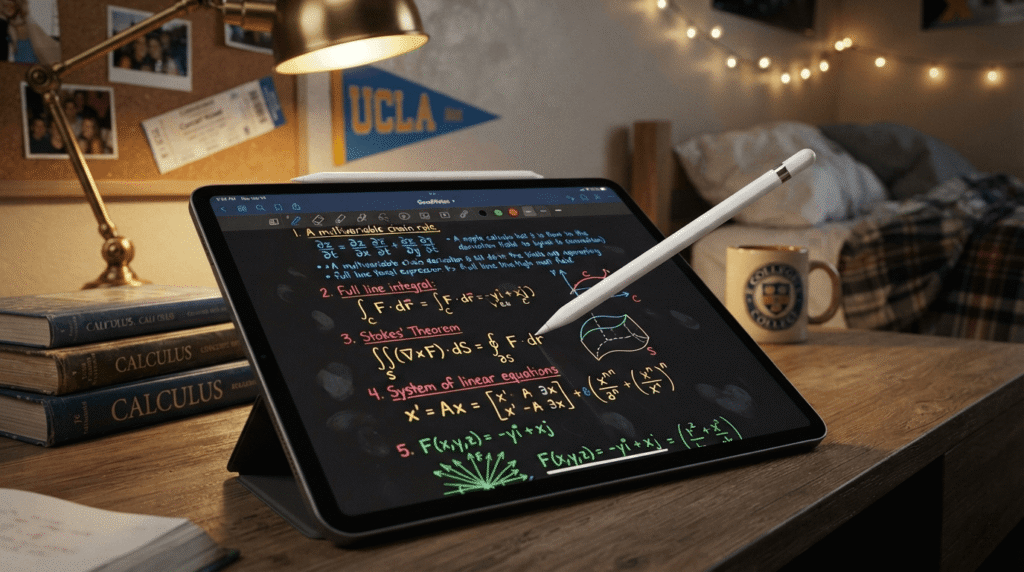
Notion handles my typed life. GoodNotes handles everything I write by hand, which for me was mostly chemistry and calculus, because typing out equations is its own special kind of suffering.
I use it on an iPad with an Apple Pencil, and once I got used to importing lecture slide PDFs and annotating right on top of them during class, I never went back to a blank notebook. The handwriting search is the feature that sold me — I can search my own messy handwriting for a term from six weeks ago, and it still finds it. GoodNotes 6 also added AI-assisted handwriting cleanup and math support, which once caught a sign error in a practice problem before I carried it straight into an exam.
The free version caps you at three notebooks, which sounds fine until week three, when you realize you need one per class plus one for personal stuff. I hit that wall in September. Pricing has shifted around a bit since — there’s a subscription around $10 a year on some plans and a one-time purchase option too, so check current numbers before buying — but either way, it’s cheap next to what it replaces in physical notebooks and printer ink.When it comes to handwriting and PDF annotation, it easily stands out among the best apps for students using iPads.
Price: Free (3 notebooks); paid tiers roughly $10/year subscription or a one-time purchase, depending on platform.
3. Quizlet
Quizlet is the one app on this list that every single person in my dorm had, no exceptions. Everyone used it slightly differently, but it showed up before every exam like clockwork.
My use case was almost entirely the Learn mode for cramming vocabulary-heavy classes — bio terms, Spanish conjugations, art history slide IDs. The spaced-repetition style quizzing beats just rereading a study guide, and I liked being able to grab a set someone else in the class had already built instead of typing out 200 flashcards at midnight myself.
Where it gets annoying is the free tier’s daily caps on practice tests and Learn rounds, especially during finals week when you need it most. Quizlet Plus runs about $36 a year, or roughly $8 if you pay monthly — which only makes sense if you need it for a single exam crunch and plan to cancel right after. My honest strategy: stay free most of the semester, upgrade for the two weeks before finals if you need to, then cancel.That makes it one of the most essential study-focused best apps for students before exam week.
Price: Free (with daily caps); Plus is about $35.99/year or $7.99/month.
Best Organization & Productivity Apps

4. Google Calendar
This is the least exciting entry on the whole list and also the one I’d protect with my life. Google Calendar isn’t flashy, but it’s the app every other tool eventually has to sync with, so it might as well be the foundation everything else sits on.
My system: a different color for each class, a separate color for work shifts, one for anything social, and one for deadlines that don’t have a fixed class time attached — essays, applications, whatever. Glancing at the week in color gives me a read on how bad it’s about to get before I even open a to-do list.
It’s completely free, works on every device I own, and the class-schedule import saved me an hour of manual entry at the start of each semester. Of all the best apps for students on this list, it’s the only one I’d call genuinely non-negotiable.It remains the absolute backbone of organization among the best apps for students across all college semesters.
Price: Free.
5. Todoist
Google Calendar tells me when things are happening. Todoist tells me what still needs to get done that doesn’t have a fixed time attached — readings, errands, that scholarship application I kept avoiding for three weeks.
The natural-language input is the feature I actually use daily. Typing “email professor about extension every Friday 9am” turns into a real recurring task without touching a single dropdown. I also liked the karma point system more than I want to admit — turning task completion into a tiny game got me through some fairly dull administrative weeks.
The free plan caps you at five active projects, which sounds like plenty until you’ve got one for each class, one for your job, one for apartment hunting, and one for general life admin — and suddenly you’re at seven. Pro runs about $5 a month billed annually and adds reminders, which, mildly annoyingly, used to be a paid-only feature outright. It’s more reasonable now, but budget for the upgrade if you’re a heavy user.For managing daily assignments, it easily ranks high on the list of best apps for students.
Price: Free (5 projects); Pro is about $5/month billed annually ($7/month billed monthly).
6. Forest
I’m not proud of how well this worked on me, but it worked. Forest plants a virtual tree when you start a focus session, and the tree dies if you leave the app to check Instagram. That’s the entire mechanic. It should not have been as effective as it was.
I used it almost exclusively for library sessions before exams — set a 50-minute timer, phone face down, tree grows. At some point in my second semester I’d apparently earned enough in-app coins to trigger a real tree getting planted through the app’s partner organization, which felt like a nice bonus for something I was doing purely out of self-interest.
It used to cost a few dollars upfront on iPhone, but it’s free to download now on every platform, core focus features included.Staying off your phone during study sessions makes it one of the most effective best apps for students wanting deep focus.
Price: Free.
Managing money in college is tough, but using the best apps for students makes tracking expenses effortless.
Best Finance & Budgeting Apps

7. Mint (a necessary warning, not a recommendation)
I need to be straight with you about this one, because I almost left it off the list and then decided the honesty was more useful than pretending it didn’t happen.
Mint doesn’t exist anymore. Intuit shut it down back in 2024 and pushed everyone toward Credit Karma, which is fine for checking your credit score but doesn’t do real budgeting — no spending categories you control, no savings goals, none of the stuff that made Mint worth using in the first place. I only found this out because I searched for budgeting apps, saw Mint recommended on what felt like every college roundup published before 2024, downloaded it, and got a dead App Store link for my trouble.
I’m mentioning it here specifically because so many roundups online still recommend Mint like it’s still 2019, and if you searched your way to this article the same way I searched my way to that dead link, I wanted to save you the ten minutes I lost. If you go looking for it anyway, be careful of copycat apps trying to farm search traffic off the old name — never link a finance app you can’t independently verify.
What I landed on: I split the difference. Credit Karma for free credit-score tracking, and honestly, a plain notes-app spreadsheet for real budgeting through most of freshman year, until I started looking into dedicated replacements like Empower and Copilot Money. Neither has earned a spot on this list yet because I haven’t put a full semester into either one — I’ll update this once I have.Even though it is discontinued, finding reliable alternatives is crucial when looking for the best apps for students managing money.
Price: N/A — Mint shut down in 2024. Its replacement, Credit Karma, is free but lacks real budgeting tools.
8. Splitwise
Once you have roommates, or start splitting an Uber four ways after a group dinner, Splitwise becomes essential almost overnight. I started using it in the first month of living in a suite with three other people, and it single-handedly prevented probably a dozen awkward “hey, you still owe me for groceries” conversations.
You log an expense, split it evenly or unevenly, and it keeps a running tally of who owes who, then simplifies the math so you’re not passing the same $20 back and forth in four separate transactions. Settling up at the end of the month took two minutes instead of a group-chat archaeology dig through three weeks of Venmo requests.
Splitwise used to be fully free with just a few banner ads. That’s changed — the free tier now caps you at a handful of logged expenses per day, which a busy shared apartment can burn through fast, especially on a grocery run or a weekend trip. Pro is about $5 a month or roughly $40–50 a year, and it removes the cap plus adds receipt scanning. For a shared suite, it’s one of the best apps for students living with roommates, paid tier or not.Handling shared apartment bills makes this one of the best apps for students living with roommates.
Price: Free (daily cap on expenses); Pro is about $4.99/month or roughly $40–50/year.
Mental health and fitness are crucial for college life, which is why wellness options belong in any list of the best apps for students.
Best Health & Wellness Apps
9. Headspace
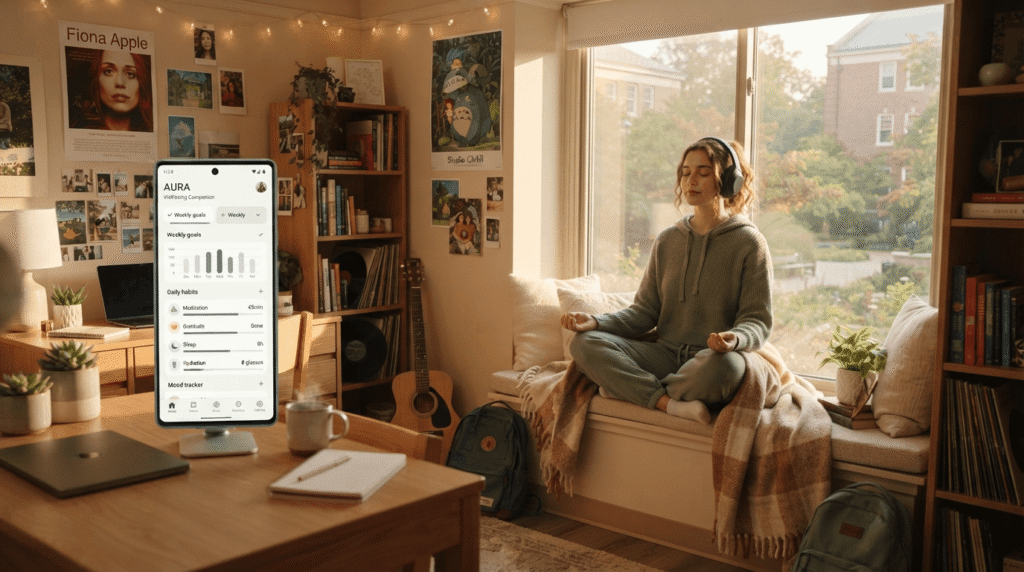
I want to be upfront: I wasn’t someone who meditated before college, and I didn’t magically become a meditation person because of an app. What Headspace actually gave me was a reliable way to fall asleep during the stretch every semester when my brain wouldn’t shut off — usually the week before finals, unsurprisingly.
The sleep sounds and “sleepcasts” became part of my actual routine more than the guided meditations did, though I did work through a short anxiety-focused series during a rough midterm week and found it genuinely calming — not life-changing, just useful in the moment.
The one thing every student should know: Headspace has a student plan that’s absurdly cheap compared to the regular price — around $10 for the entire year instead of roughly $70, verified through your school email. At that price, there’s not much reason not to at least try it.Improving sleep quality during finals week earns it a clear spot among the best apps for students.
Price: Regular plan is about $69.99/year or $12.99/month; verified students pay around $9.99/year.
10. MyFitnessPal
This one made the list a little reluctantly, and I want to frame it carefully: I didn’t use MyFitnessPal to restrict anything. I used it for about six weeks after I started lifting with a friend and wanted to actually understand what I was eating relative to a protein goal we’d set together, because “eat more protein” is useless advice without a number attached to it.
The barcode scanner made logging dining hall food almost painless, and the food database is enormous — I rarely had to add a custom item myself. Once I had a rough sense of my own habits, I stopped logging daily and just checked in occasionally, which is honestly how I’d recommend most students use it: a short-term awareness tool tied to a specific goal, not a permanent habit.
A lot of the most useful features, including the barcode scanner, now sit behind Premium, which runs about $80 a year. The free version is thin enough that I’d only recommend paying if you’ve got a specific goal you’re actively working toward, ideally with a friend, coach, or trainer involved — not as a general everyday logging habit.Tracking fitness and daily meals can be helpful when building a health routine with the best apps for students.
Price: Free (limited); Premium is about $79.99/year or $19.99/month.
Best AI Apps for Students

11. ChatGPT
I’ll be direct about how I use this, because “AI helped me with homework” can mean wildly different things depending on who’s saying it. I don’t use ChatGPT to write graded work for me — that’s a fast way to end up in front of an academic integrity board, and it’s genuinely not worth the risk. What I actually use it for is getting a concept explained a different way when my professor covered it too fast, generating extra practice problems my textbook doesn’t offer, and outlining a paper’s structure before I write every word of it myself.AI tools are rapidly becoming the best apps for students who need clear concept explanations late at night.
Where it earned a permanent spot on my phone: office hours have limited slots, and professors have limited patience for the fortieth “wait, can you explain that again” of the semester. Asking ChatGPT to explain something three different ways, at 11pm, with zero judgment, filled a real gap that group chats and email couldn’t.
The free tier works fine for occasional use, though it now shows ads in the US and has tighter limits than it used to. Plus is $20 a month — a price that hasn’t moved in three years despite the feature set growing a lot — and there’s now a cheaper $8-a-month tier if you just want more free-tier usage without the full feature set. For actual daily use across a full course load, Plus is the one that made sense for me.
Price: Free tier available; Plus is $20/month; a cheaper Go tier runs about $8/month.
12. Grammarly
Grammarly caught the kind of mistakes I’d stopped seeing after reading my own essay for the fifth time — comma splices, a verb tense that shifted halfway through a paragraph, the same word used three times in one sentence because I couldn’t think of a synonym at 2am.
I ran it as a browser extension, which meant it caught things in Google Docs and even in emails to professors — that mattered more than I expected, because a typo in an email asking for an extension does not help your case. The tone detector was oddly useful too; more than once it flagged a draft as sounding more aggressive than I meant it to.
The free plan covers basic grammar, spelling, and a decent monthly allowance of AI prompts, and it honestly handled most of what I needed on a typical week. The paid tier — renamed Grammarly Pro — adds full-sentence rewrites and plagiarism detection for about $12 a month billed annually. I’d start free and only upgrade during an especially heavy writing semester.Proofreading essays automatically makes it one of the best apps for students writing term papers.
Price: Free tier available; Pro is about $12/month billed annually ($30/month billed monthly).
13. Otter.ai
My intro psych professor talked fast, covered a lot of ground, and did not slow down for anyone. Otter.ai saved that class for me. I’d hit record at the start of a lecture and get a full transcript afterward, searchable by keyword, so instead of trying to write everything down in real time, I could actually listen and think during class, then go back and pull specific quotes or data points for my notes later.
The catch I learned the hard way: the free plan caps you at 300 minutes a month and cuts off any single recording at 30 minutes. My psych lecture ran 75. I found out mid-transcript, staring at a note that just stopped mid-sentence — a genuinely frustrating way to discover a limit exists.
Pro runs about $8 a month billed annually, lifts the per-conversation cap to 90 minutes, and there’s a student discount that knocks off another 20% on top of that. If you’ve got even one class with a professor who talks fast, it’s worth the upgrade. It was for me.Transcribing fast lectures makes it an essential tool alongside other best apps for students taking notes.
Price: Free (300 min/month, 30-min cap per recording); Pro is about $8.33/month billed annually, with a student discount available.
Best Miscellaneous Apps
14. CamScanner
Professors who still hand out paper worksheets, or need a physical signature on a form, or write example problems on a classroom whiteboard that’s about to get erased — CamScanner handled all of it. Point your phone camera at a document, and it auto-crops and straightens the edges, so you get a clean PDF instead of a crooked photo with your thumb in the corner.
I used it most for scanning group-project sign-in sheets and turning a whiteboard’s worth of example problems into a PDF I could read later at full resolution, instead of a blurry photo taken from the back row.
Worth knowing before you download it: the free version adds a small watermark to your exports and shows ads, and unlocking full OCR — turning a scan into searchable, selectable text — requires a paid plan running around $50 a year. Before paying for any of that, check what’s already built into your phone first. The iPhone Notes app and Google Drive both have a free document scanner tucked into their camera options that covers basic scanning without a subscription.Converting physical handouts to PDFs is why document scanners belong in any list of best apps for students.
Price: Free (with ads and a watermark on exports); Premium is roughly $50/year.
15. Duolingo
I took Duolingo for a language requirement, not language love, in the beginning — filling a placement gap between classes with an app instead of one more lecture slot on my schedule. The streak mechanic is genuinely manipulative in the best way; I did not want to be the person who broke a 140-day streak on a random Tuesday, so I kept opening it.
I stayed on the free version all year. The core lessons are all there, the ads are mildly annoying but not disruptive, and Super Duolingo mostly just removes the ads and the “hearts” system that limits how many mistakes you can make before you’re locked out for a bit. As of this year, the AI “Explain My Answer” feature that used to be a paid Max-only perk is free for everyone, which quietly made the most expensive tier a lot less necessary for most people.
If you’ve got a language requirement to knock out, or just want ten low-stakes minutes between classes, the free version works, and I never felt like I was missing much by not paying.Building a daily study habit effortlessly makes it one of the best apps for students learning new languages.
Price: Free; Super is about $95.99/year; Max is about $167.99/year (largely unnecessary now that its main AI feature is free).
Comparison Table – Best Apps for Students at a Glance
Here’s the whole list side by side. Prices change often enough that I’d still recommend double-checking the current number before you subscribe to anything, but this is accurate as of writing.
| App | Category | Best For | Price | My Rating |
|---|---|---|---|---|
| Notion | Study | All-in-one notes & planning | Free (Plus free for students) | 5/5 |
| GoodNotes | Study | Handwritten notes & PDF markup | Free (3 notebooks) / ~$10/yr+ | 4.5/5 |
| Quizlet | Study | Flashcards & test prep | Free / $35.99/yr | 4/5 |
| Google Calendar | Organization | Scheduling everything | Free | 5/5 |
| Todoist | Organization | Task management | Free (5 projects) / $5/mo | 4/5 |
| Forest | Organization | Phone-free focus sessions | Free | 4/5 |
| Mint | Finance | Discontinued — see note above | N/A (shut down 2024) | N/A |
| Splitwise | Finance | Splitting bills with roommates | Free (capped) / $4.99/mo | 4.5/5 |
| Headspace | Health | Meditation & sleep | Free trial / $9.99/yr (student) | 4/5 |
| MyFitnessPal | Health | Calorie & macro tracking | Free (limited) / $79.99/yr | 3.5/5 |
| ChatGPT | AI | Explaining concepts, studying | Free / $20/mo (Plus) | 4.5/5 |
| Grammarly | AI | Grammar & writing polish | Free / $12/mo | 4.5/5 |
| Otter.ai | AI | Lecture transcription | Free (300 min/mo) / $8.33/mo | 4/5 |
| CamScanner | Misc | Scanning docs & whiteboards | Free (ads) / ~$50/yr | 3.5/5 |
| Duolingo | Misc | Language practice | Free / $95.99/yr (Super) | 4/5 |
(Ratings are my own, based on a year of actual use — not pulled from the App Store.)
Which Are the Best Free Apps for Students?
If your budget this semester is basically zero — relatable — here’s the honest breakdown of what you can get away with never paying for, and where the free tier eventually stops being enough.Relying on these zero-cost tools ensures you get the best apps for students without breaking your budget.
Genuinely free, no real catch:
- Google Calendar — completely free, no premium tier even exists
- Forest — free on every platform now, core focus features included
- Grammarly (free tier) — covers basic grammar plus a real monthly AI allowance
- ChatGPT (free tier) — enough for occasional homework help, though it now runs ads and has tighter limits than it used to
- Notion — the free plan is generous on its own, and the Plus plan is free with a .edu email
Free to start, but you’ll likely outgrow it:
- Quizlet — fine for light studying, but the daily caps get frustrating during finals week
- Todoist — the five-project limit arrives faster than you’d expect
- Splitwise — the new daily expense cap bites hard in a busy shared apartment
- GoodNotes — three free notebooks disappears by week three of a normal course load
- Duolingo — free is enough for most casual learners; Super is a nice-to-have, not a need-to-have
Best value if you do decide to pay: Headspace’s student plan at around $10 a year is the best dollar-for-dollar deal on this entire list — less than a single takeout order for twelve months of access. Otter.ai’s student discount and Todoist’s $5-a-month Pro plan aren’t far behind.
Out of all the best free apps for students on this list, Google Calendar, Forest, and Notion’s free plan are the three I’d tell a broke freshman to grab first — zero dollars, zero regrets.
Common Mistakes Students Make (And How to Avoid)
I made basically every one of these myself, so consider this the list I wish someone had handed me during orientation.
Downloading too many apps at once. The first week of school I downloaded something like 15 productivity apps in a single weekend, convinced the right combination would fix my organizational habits overnight. It didn’t. It just gave me 15 different places to half-remember information instead of one. Pick two or three from each category above, actually commit for a month, and only add more once you hit a real, specific limitation — not because a new one showed up on your For You page.
Setting up a beautiful calendar and never opening it. I built a nice color-coded Google Calendar during the first week of freshman year and then didn’t check it for ten days because I forgot it existed. A calendar only works if checking it becomes as automatic as checking your phone for texts. Set a recurring reminder to review the week every Sunday night until it stops needing a reminder at all.
Treating AI tools like cheating instead of a study aid. A good chunk of my friend group refused to touch ChatGPT the entire first semester out of a mix of principle and suspicion, then scrambled to catch up once they saw how much time it saved the rest of us on the stuff that isn’t actually graded, like getting a confusing concept explained a different way at midnight. Used responsibly — meaning it explains and you still do the thinking and the writing — it’s one of the smartest tools a student can lean on to survive a heavy course load, not a shortcut around learning it.
Paying for premium before testing the free version for a few weeks. I bought GoodNotes’ full version in my first week before I’d even figured out if I liked digital note-taking at all. I did end up liking it, so it worked out, but I got lucky. Every app on this list has a free tier worth living in first. Hit an actual, specific limitation before you pull out a card.
Skipping the student discounts sitting right there. This is the expensive one. Notion, Headspace, Otter.ai, and plenty of apps not even on this list quietly offer massive discounts, sometimes 85% off, the second you verify with a school email. I didn’t find out about Headspace’s student plan until a roommate mentioned it in March, which means I spent five months paying full price for something that should’ve cost me about ten dollars for the entire year. Always search “[app name] student discount” before you enter a card number.Avoiding these simple errors will ensure you get maximum value from the best apps for students you install.
Final Verdict – Best Apps for Students (My Top 3)
If I had to delete every app on my phone except three, here’s what survives, no hesitation:
1. Notion — because it’s the closest thing I have to a second brain, it’s free for students, and it flexes to fit whatever weird system I need that week, whether that’s a reading tracker or a job-application log.
2. Google Calendar — because literally everything else on this list eventually has to sync with it anyway. It’s the layer underneath every other app, and it’s never once let me down.
3. ChatGPT — because at 11pm, staring at a concept I don’t understand with no office hours open, it’s the closest thing to a study partner who’s always awake.
Everything else on this list solves a specific, real problem — Splitwise for roommates, Otter for a fast-talking professor, Headspace for finals-week insomnia — but these three are the ones I’d genuinely struggle to function without. If you only take one thing from this whole roundup of the best apps for students, let it be these three, at least as a starting point.Selecting two or three options from these best apps for students will help you stay organized and boost your productivity this semester.
Frequently Asked Questions
What are the best study apps for students?
Based on what actually survived a full year of testing, Notion, GoodNotes, and Quizlet cover the three main study needs: organizing information, handwriting notes and annotating PDFs, and drilling material before a test. Which one matters most depends on whether you’re a typer or a handwriter — I ended up needing both.The overall best apps for students include Notion for planning, GoodNotes for handwritten notes, and ChatGPT for study assistance.
What are the best free apps for students?
Google Calendar, Forest, and Notion’s free (or free-with-.edu-email) plan are the strongest pure-free picks on this list. Grammarly’s and ChatGPT’s free tiers are also genuinely usable day to day, not just teaser versions designed to push you toward paying.
Which app is best for taking notes in college?
It depends on how you naturally think. If you process information better by writing it out by hand, GoodNotes on an iPad is worth the small cost. If you’re a typer who wants everything searchable and organized into one system, Notion wins. I ended up using both — GoodNotes for lecture-by-lecture notes, Notion for the bigger-picture organization.
What is the best AI app for students?
ChatGPT for general studying and concept explanations, Grammarly for polishing anything you’re about to submit, and Otter.ai for any class where the professor talks faster than you can write. Together, they cover most of what a student actually needs AI for, without crossing into “having it do your work for you” territory.
How can I stay organized in college?
Start with Google Calendar for anything with a fixed time, and Todoist (or a similar task app) for anything that doesn’t. Color-code your calendar by category, check it at the same time every week, and resist the urge to download five more organization apps on top of these two — that’s mistake number one from the section above, and it undoes the whole point.
That’s the full list: fifteen apps, one dead one I felt obligated to warn you about, and a genuinely embarrassing number of downloads and deletions along the way to get here.
Your mileage will vary. Maybe you’re someone who thrives on paper planners and none of this applies to you, and that’s fine too — the goal was never to convince you that you need every app on this list, just to save you some of the trial and error I went through so you can skip straight to the ones actually worth your storage space and your money. Start with two or three, give them a real month, and build from there.
If you’ve found something that earned a permanent spot on your home screen and it’s not on this list, I’d genuinely like to know what I’m missing. I’m already planning to re-test everything again before next fall, since at the rate these companies change their pricing pages, half of this list will probably look different by then anyway.
Also, if you need to fix blurry pictures of your lecture notes or whiteboard slides, check out my guide on how to unpixelate images for free.
