
A client pings me on a Friday night: “Can we see something working by Monday?” No spec doc, no Figma file, just a rough idea for a booking app and a deadline that doesn’t care about my weekend. I’ve been in that exact spot more times than I’d like to admit, and every single time, the same three tabs end up open on my second monitor: Replit, Lovable, and Cursor.
That’s really the honest starting point for the replit vs lovable vs cursor debate. It isn’t an abstract feature matrix you settle once and file away — it’s a call you re-litigate every time a new project lands, because the “right” tool depends entirely on what stage of the build you’re actually in. I’ve now used all three to ship real, paying-client work over the past year, and I’ve got the credit-burn receipts and git-conflict scars to prove it. Here’s what actually held up.
Quick Comparison: Replit vs Lovable vs Cursor at a Glance
| Feature | Replit | Lovable | Cursor | Ideal Winner |
|---|---|---|---|---|
| Setup | Zero — runs in the browser | Zero — runs in the browser | Install the app (VS Code fork) | Replit / Lovable |
| Core strength | Cloud IDE + autonomous Agent | Prompt-to-full-app generation | Deep, local codebase control | Depends on project stage |
| Backend | Built-in DB, Agent-provisioned | Supabase-backed (Lovable Cloud) | Bring your own | Lovable for speed, Replit for flexibility |
| Hosting | One-click, built in | One-click, built in | External (Vercel, Netlify, etc.) | Replit / Lovable |
| Multi-file refactors | Doable through the Agent | Limited, frontend-heavy | Best-in-class (Composer, parallel agents) | Cursor |
| Code ownership | GitHub export available | Two-way GitHub sync | Native local git, no abstraction | Cursor |
| AI autonomy | Very high, long unattended runs | High, whole-app generation | High, but review-driven | Replit for hands-off, Cursor for controlled |
| Starting price | Free tier, paid plans from ~$20/mo | Free tier, paid plans from ~$25/mo | Free tier, paid plans from ~$20/mo | Roughly tied |
| Best for | Founders prototyping fast, internal tools | Non-technical builders, MVP dashboards | Professional devs, production codebases | Depends on you |

Core Comparison Breakdown: Where Each Tool Actually Wins
Here’s the short version of how I think about replit vs lovable vs cursor after a year of building with all three: Lovable gets you a working app the fastest, Replit gets you a working app you can host and iterate on without leaving your browser, and Cursor gets you a codebase you can actually trust in production. None of that is a knock on any of them — they’re solving different problems. Let’s go tool by tool.
Lovable: Best for Prompt-to-App Speed, Clean Frontend UI, and Instant Supabase Backends

Lovable is what I reach for when someone hands me a rough idea and wants to see pixels, fast. You type a prompt — “a waitlist landing page for a fintech app, dark theme, email capture wired to a database” — and within a couple of minutes you’ve got a deployed React and Tailwind frontend with a Supabase backend already connected underneath, courtesy of what Lovable now calls Lovable Cloud.
I once timed myself building a SaaS dashboard mockup with auth, a Stripe subscription flow, and an admin panel — under four hours from blank prompt to something a client could actually click through. That’s genuinely hard to beat. The generated code was cleaner than I expected the first time I opened the file tree, too: sensible component structure, not the “it-technically-works” spaghetti I’d braced for.
Where it starts to strain is server-side logic that doesn’t fit neatly into “CRUD app with auth.” The moment I need custom queueing, webhook retries, or anything with real edge cases, I find myself fighting the abstraction instead of using it. Lovable is frontend-first and prompt-first, and that shows the second your backend requirements get opinionated.
Replit: Best for Zero-Setup Cloud Environments, Instant Hosting, and Autonomous Agent Prototyping

Replit is what I open when I don’t want to think about environments at all — no local setup, no dependency conflicts, no “works on my machine.” Just a browser tab and a prompt box. Agent 3, Replit’s current AI agent, can now run on its own for roughly 200 minutes on a single task, testing the app it’s building in a live browser and fixing what it finds without me babysitting every step. I’ve watched it scaffold a Stripe-connected form, catch a missing webhook signature check on its own, and patch it before I’d finished my coffee.
That autonomy is genuinely the headline feature. Replit isn’t just generating code anymore — it’s running its own build-test-fix loop, and for solo builders who’d otherwise skip writing tests entirely, that’s a real jump in quality. Hosting is just there, too. Deploying is a button, not a pipeline.
The trade-off is billing predictability. Replit’s credits are effort-based, so “add a button” and “scaffold the entire auth flow” cost wildly different amounts, and once your monthly allowance is gone, you’re either topping up or eating pay-as-you-go rates. I’ve had weeks where I burned through a plan’s entire credit allowance in a couple of days because I let the Agent re-test and re-fix a project far more than it actually needed.
Cursor: Best for Coders Needing Local IDE Control, Multi-File Refactoring, and Git Workflows
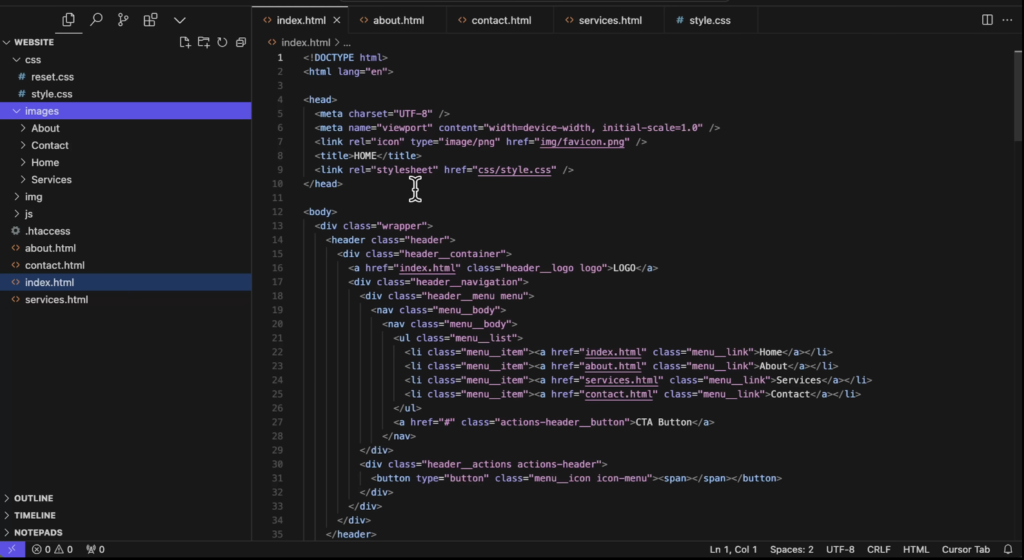
Cursor is where I end up once a project stops being a prototype and starts being something I need to actually trust. It’s a fork of VS Code, so your extensions, themes, and keybindings carry over in minutes — but the AI isn’t a sidebar bolted onto the editor, it’s woven into it. Composer and Agent mode can plan and execute changes across dozens of files, run terminal commands, and iterate against test output, and with git worktrees you can now run several agents in parallel on isolated branches instead of one sequential chat thread.
I used exactly this setup on a refactor sprint for a client’s Next.js app — four agents working four different modules at once, each on its own branch, while I supervised from the agent console and merged whichever branches actually passed review. That kind of parallel, git-native workflow just isn’t something Lovable or Replit are built for.
The catch is that Cursor assumes you already know what “good” looks like. It won’t provision a database or host your app for you — that’s still on you, wired up through Vercel, Supabase, Railway, or whatever your stack is. It’s the most powerful of the three, and the least forgiving of a developer who doesn’t review its output.
Hands-On Testing and the Real Trade-Offs
Generative Speed vs Technical Control (The Vibe-Coding Spectrum)
Picture a spectrum with “describe it and it appears” on one end and “I control every line” on the other — replit vs lovable vs cursor basically maps onto that line in order. Lovable sits closest to pure vibe-coding: you steer with prompts and a visual editor, and the code is almost incidental to the experience. Replit sits in the middle — you get a real, visible codebase and a terminal, but the Agent is confident enough to handle entire features on its own if you let it. Cursor sits at the control end. It writes and refactors code aggressively, but it’s still fundamentally a text editor waiting on your direction, not a system trying to guess your whole app from one paragraph.
Neither end of that spectrum wins outright. I’ve shipped throwaway prototypes faster in Lovable than I could type out a project brief. I’ve also spent an afternoon in Cursor doing a security pass on AI-generated auth code that would have quietly shipped a vulnerability if I’d trusted the first draft. The question isn’t which tool is smarter — it’s how much of the decision-making you actually want to hand off on this particular project.
Codebase Ownership, GitHub Syncing, and Lock-In Risk
This is the part people underestimate until the day they need to leave. Lovable now supports two-way GitHub sync, so changes flow in both directions and you can pull the code into your own IDE whenever you want — but the underlying architecture still leans hard on Supabase, and migrating off that backend later isn’t a five-minute job. Replit lets you export to GitHub too, but a chunk of the project’s behavior lives in Replit-specific config, so an export is more of a starting point than a clean handoff. Cursor has no lock-in story to tell, because there’s nothing to unlock — you’re editing your own repo, on your own machine or your own git host, from day one.
In practice, the workflow I keep landing on is the hybrid one: prototype the UI and backend scaffolding in Lovable or Replit, because it’s genuinely faster, sync it to GitHub early, then clone that repo into Cursor once the project needs real hardening — proper error handling, tests, a security pass, the unglamorous-but-necessary stuff. I’d rather say that plainly than pretend any single tool should own a serious project’s entire lifecycle.
Pricing Realities, Monthly Subscriptions, and Credit Consumption
Every one of these tools now runs on some version of subscription-plus-credits, and the sticker price is never the whole number. As a rough snapshot: Replit’s paid tier starts around $20 a month with a monthly credit allowance that Agent tasks draw against at effort-based rates, and its team tier climbs closer to $100 a month. Lovable’s Pro plan lands around $25 a month for a set pool of credits, with Lovable Cloud usage — database, bandwidth — billed on top once an app gets real traffic. Cursor Pro runs about $20 a month, but its credit pool only gets touched when you manually pick a premium model; its default Auto mode is unlimited, which is the detail that actually saves you money if you’re not precious about which model handles routine edits.
Here’s the honest pricing reality of replit vs lovable vs cursor: all three companies have adjusted their pricing more than once in the past year, and the tier names, credit amounts, and prices I’m quoting here could shift again by the time you read this. Don’t take any of these numbers as gospel — check each tool’s official pricing page before you commit a client’s budget to one of them, and if you’re a heavy Agent user on any platform, plan for at least 1.5 to 2 times the sticker price in a realistic month.
Real Mistakes and Pitfalls I’ve Actually Made
A few of these cost me actual money or actual hours, so treat this as the section I wish someone had handed me before my first project on each platform.
- Vague prompts burn credits fast. On both Replit and Lovable, an underspecified prompt like “make it look nicer” triggers a wide, exploratory change instead of a targeted one, and you pay for that exploration. Naming the exact component, the exact style change, the exact behavior cuts credit usage dramatically.
- “Done building” doesn’t mean “done paying.” On Replit especially, hosting and any always-on backend draw from the same credit pool as the Agent, so a published app with real traffic keeps consuming credits long after you’ve stopped actively building it.
- Local git conflicts after exporting. Sync a Lovable or Replit project to GitHub, then keep editing inside the original platform while also pulling changes locally into Cursor, and you will eventually get a merge conflict. Pick one source of truth per work session.
- Skipping the checkpoint before a big agent refactor. In Cursor, running a multi-file agent task without a clean git commit beforehand turns a bad run into a painful manual rollback instead of a one-command revert. Commit first, then let the agent loose.
- Trusting the diff without reading it. This one matters most. AI-generated changes can pass type checks and look syntactically correct while quietly removing error handling, altering auth logic, or adding a dependency you never asked for. I now specifically scan multi-file diffs for changes to files I didn’t mention in my prompt.
- Over-relying on AI for complex backend logic. All three tools handle the 80% that looks like every other CRUD app on the internet. Payment edge cases, rate limiting, and anything security-adjacent still need a human who understands the actual requirement, not just a plausible-looking implementation.
Frequently Asked Questions
Is Replit, Lovable, or Cursor best for someone with zero coding experience? Lovable, generally. It’s the most forgiving if you can’t read the code it produces, since the whole interface is built around describing outcomes rather than editing files. Replit is a close second — Agent 3 carries a lot of the load — but you’ll bump into its terminal and file tree more often than you would in Lovable.
Can I use all three together on one project? Yes, and that’s honestly how I use them most now. Prototype in Lovable or Replit, sync to GitHub, then move into Cursor once you need precision editing, testing, or a production-grade refactor.
Replit vs Lovable vs Cursor — which one is cheapest for a solo side project? On paper they’re close: all three have a free tier and paid plans that start in the $20–$25 a month range. In practice, Cursor tends to be the most predictable if you lean on its unlimited Auto mode, while Replit and Lovable can swing more depending on how much you lean on the AI Agent versus doing manual edits yourself.
Do I actually own the code I build on these platforms? On Cursor, yes, unambiguously — it’s your local repo from the first keystroke. On Lovable and Replit, you can export to GitHub, so you’re never fully locked in, but a piece of the app’s behavior — config, environment setup, platform-specific integrations — doesn’t always travel cleanly. Budget time for cleanup after a big export.
Which tool scales best for a startup going from MVP to a funded product? I’d start the MVP in Lovable or Replit for speed, then plan to bring a developer into Cursor — or hand the exported repo to one — once you have paying users and real uptime requirements. None of the three are the wrong choice for an MVP; the mistake is assuming the MVP tool has to stay the production tool forever.
Is Cursor overkill if I’m not a professional developer? A little, yes. Cursor assumes you can read a diff and recognize what “correct” looks like in a codebase. If that’s not you yet, Lovable or Replit will get you further, faster, with less frustration.
Final Verdict: My Honest Recommendation
If you forced me to answer replit vs lovable vs cursor with one single winner for every project, I couldn’t do it honestly, and I’d be a little suspicious of anyone who could. What I can tell you is how I actually decide, project by project: if I need something a non-technical client can see and react to by tomorrow, I open Lovable. If I want a full-stack app I can build and host without ever touching a terminal, I open Replit and let Agent 3 run. If the project already has paying users, a real codebase, and zero tolerance for silent bugs, I live in Cursor.
The developers I see get frustrated with all three usually made the same mistake — they picked one tool and expected it to be right for every stage of a project’s life. It won’t be. Match the tool to what you’re actually doing this week, export your code early so you’re never stuck, and let the project’s own maturity tell you when it’s time to switch.
Planning to upgrade your setup soon? Check out our breakdown on the Foldable iPhone Release Date, Leaks, and What to Expect to see what Apple is brewing for the future of iOS gaming.
Also Read: iOS App Development Services Guide
